
 Search

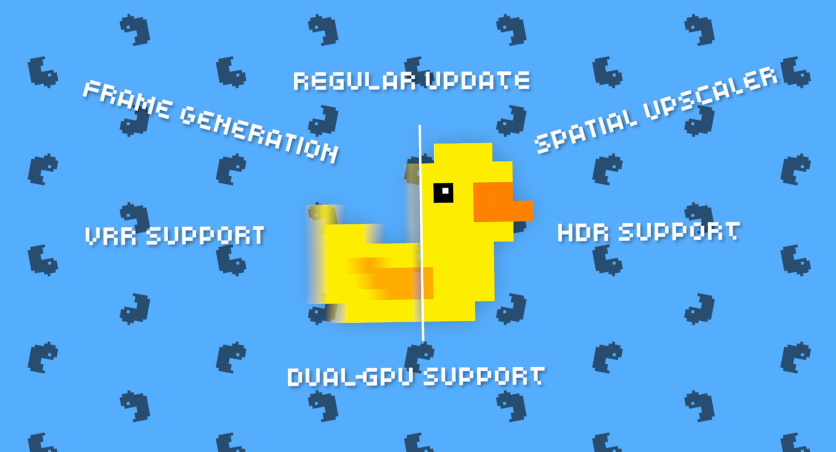
Lossless Scaling is an upscaling tool designed for players who want a smoother visual experience and a potential PC performance boost in games without native DLSS, FSR, or frame generation support.
By combining techniques like LSFG frame generation and image reconstruction, it can improve gaming PC performance in both modern and older titles. It is especially useful in windowed mode, where flexibility and compatibility matter more than built-in engine support.
This tool is not meant to be a universal fix for every system or game. Instead, it works best as an adaptive utility that enhances visual smoothness when GPU headroom is available. While it can improve frame rates and image quality, results depend on hardware limits and user tolerance for added latency, making it a flexible but situational upscaling tool.
What Lossless Scaling Does as an Upscaling Tool
Lossless Scaling uses LSFG frame generation to insert artificial frames between real ones, making gameplay feel smoother even in games without native support. This improves perceived fluidity, especially in titles with stable but limited performance.
It also works as a spatial upscaling tool by lowering render resolution and reconstructing the image to boost gaming PC performance. This reduces GPU load while still keeping visuals clear in supported games.
The upscaling tool offers multiple algorithms like LS1, FSR, NIS, Integer, XBR, Anime4K, and Bicubic CAS for different quality needs. It supports windowed mode, adaptive frame generation, and custom profiles, making it flexible across many games and systems.
Pros And Cons Of Lossless Scaling
Lossless Scaling is often used as a flexible upscaling tool for improving smoothness and visual quality in games that lack native support. It can provide a PC performance boost in the right conditions, especially for older or less optimized titles. However, its results vary depending on hardware and game type.
Pros of Lossless Scaling
- Wide game compatibility: Lossless Scaling works with many games, including older titles, modern releases, and emulators. It helps improve gaming PC performance even when native upscaling options are not available.
- Flexible upscaling tool options: It supports multiple algorithms like LS1, FSR, and NIS, giving users control over image quality and performance balance. This makes it adaptable to different hardware setups.
- Noticeable smoothness improvements: LSFG frame generation can make gameplay feel smoother by adding extra frames. This is useful in games with stable but limited FPS.
Cons of Lossless Scaling
- Input latency from frame generation: LSFG frame generation can introduce slight delays between input and response. This may affect fast-paced or competitive gaming.
- Performance depends on GPU headroom: Gains are not guaranteed if the GPU is already fully utilized. In some cases, gaming PC performance may not improve at all.
- Inconsistent visual results: Some games may show artifacts or uneven scaling depending on the engine and settings used. This can lead to varying image quality across titles.
When It Makes Sense To Use Lossless Scaling
Lossless Scaling works best when a game already runs at a playable frame rate but still has room for improvement. In these cases, LSFG frame generation and scaling can make motion feel significantly smoother.
It is especially effective for older games, emulators, and retro-style titles. LS1, FSR, and NIS work well for modern 3D games, while Integer and XBR are better suited for pixel-based visuals.
The upscaling tool is also useful for players who switch between new and classic games. Its flexible algorithm system allows it to adapt across different art styles and performance demands.
Compatibility with online games is possible, but users should apply caution. While many reports suggest it works with anti-cheat systems, testing in single-player or non-competitive environments is the safest approach before relying on it fully.
Is Lossless Scaling Worth Using?
Lossless Scaling is a practical option for players looking to improve smoothness and visuals without relying on native game support. It can deliver a meaningful PC performance boost in the right conditions, especially when GPU headroom is available.
Its biggest value comes from flexibility across games, windowed mode support, and features like LSFG frame generation. However, it works best as a supporting tool rather than a complete replacement for built-in optimization systems, making it a situational but useful upgrade for many gaming setups.
Frequently Asked Questions
1. What is Lossless Scaling used for?
Lossless Scaling is used to improve gaming PC performance through upscaling and frame generation techniques. It helps games run smoother, especially when they lack native DLSS or FSR support. The tool works by reducing rendering load and reconstructing images at higher resolution. It also supports LSFG frame generation for improved motion fluidity.
2. Does Lossless Scaling improve FPS in all games?
No, Lossless Scaling does not guarantee FPS improvements in every game. Its effectiveness depends on GPU headroom and system performance. In some cases, it improves perceived smoothness rather than actual frame rates. If the GPU is fully utilized, benefits may be limited.
3. What is LSFG frame generation in Lossless Scaling?
LSFG frame generation creates artificial frames between real ones to make gameplay appear smoother. It is especially useful in games without built-in frame generation support. This feature can significantly improve visual fluidity in supported scenarios. However, it may add slight input latency depending on settings.
4. Is Lossless Scaling safe to use in online games?
Lossless Scaling is generally reported to work in many online games, but results can vary. Some anti-cheat systems may react differently depending on implementation. It is safer to test the upscaling tool in single-player or non-competitive modes first. Users should always proceed cautiously in multiplayer environments.
Originally published on gamenguide.com

-
 C114 Communication Network
 -
 Communication Home
