
 Search

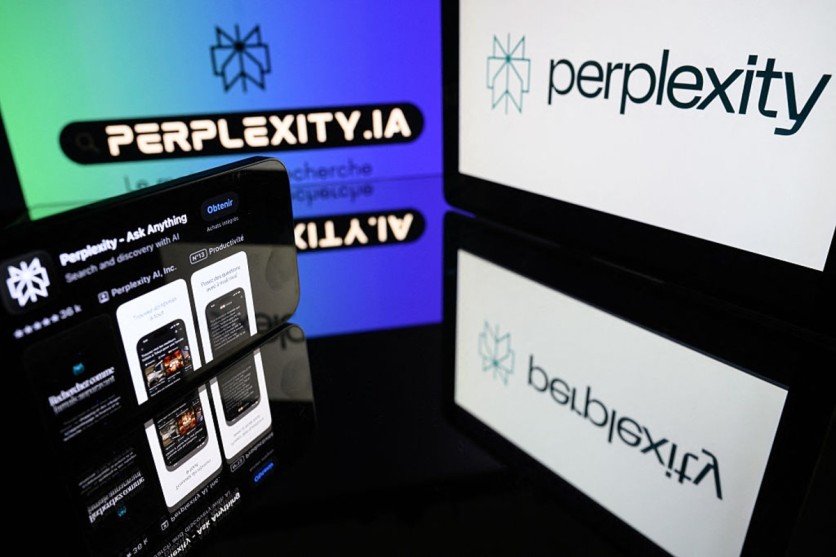
gettyimages.com
Perplexity AI launched Personal Computer for Windows on Tuesday, July 28, 2026, extending its agentic desktop platform from Mac to the operating system that powers roughly 1.4 billion devices worldwide. The rollout — initially limited to subscribers of Perplexity's Max and Enterprise Max plans, which start at $200 per month — puts the AI search startup in direct competition with Microsoft Copilot on Microsoft's own turf, and on a platform where most enterprise work still happens.
What makes the product technically distinctive is not just that it can touch your local files. It is the architecture underneath: Personal Computer does not run AI reasoning on your Windows machine. Instead, it uses a four-layer hybrid system where your PC acts as the hands while Perplexity's cloud infrastructure acts as the brain — a design that enables multi-model orchestration at scale but also means data about your local files transits Perplexity's servers before any action is taken.
Personal Computer for Windows integrates with the full Microsoft ecosystem — Word, Excel, PowerPoint, Outlook, OneDrive, and Teams — while extending beyond it. Where Microsoft Copilot routes every task to a single Microsoft-selected model, Personal Computer automatically selects from a pool of more than 20 frontier AI models for each sub-task. The current default orchestrator is Claude Opus 4.7, with users able to switch to GPT-5.4 or Claude Sonnet 4.6 as the primary coordinator.
Read more: Perplexity's Personal Computer Agentic AI Assistant Is Now Available for Mac
Perplexity Personal Computer Targets Windows Enterprise Users Who Need More Than Copilot
This model-agnostic architecture is the product's clearest differentiator. Independent analysts note that Copilot operates natively inside existing Microsoft apps and is grounded in an organization's Microsoft Graph data, giving it an advantage for M365-heavy workflows. Perplexity's platform, by contrast, runs in its own sandboxed environment and covers cross-tool orchestration beyond the Microsoft stack — including Salesforce, Snowflake, and HubSpot connectors, as well as 400-plus additional app integrations.
The Windows edition also delivers cross-device continuity: a task started on a phone can be handed off to a Windows machine for completion, with the local Windows application handling file read/write while cloud-side orchestration handles the reasoning.
How the Four-Layer Architecture Actually Works
Understanding what Personal Computer for Windows does to your files requires understanding what it is architecturally — because it is not what "Personal Computer" implies about where computation happens.
The system operates across four distinct layers:
Local device layer. A native Windows application serves as the agent's local bridge. It reads and writes to approved folders, interacts with native Windows apps, and executes file management tasks on your machine. This is the only layer that physically touches your local files.
Cloud orchestration layer. AI reasoning and decision-making happen entirely on Perplexity's cloud servers. When the local app receives a task, it sends that task description — including context about your local files and active applications — up to Perplexity's cloud, where an orchestrator model (Claude Opus 4.7 by default) decomposes the task into sub-tasks and routes each to the most capable model in the 20-plus model roster. Independent researcher Ajit Singh confirmed this architecture through reverse-engineering of the system in March 2026.
Isolated execution sandbox. Code execution runs in a separate cloud sandbox. Singh's analysis verified that OAuth tokens, API keys, and credentials are stored server-side on Perplexity's backend and never visible inside the sandbox, and that the sandbox and the web-automation environment run on different machines with different IP addresses and network fingerprints.
Separate cloud browser (Comet). Web automation runs in a completely separate cloud browser instance. Browser-based vulnerabilities — malicious JavaScript, session hijacking, fingerprinting — cannot propagate back into the code execution environment because the two share no memory, filesystem, or network stack.
The engineering tradeoff this creates is real and worth understanding: Perplexity gains the ability to offer 20-plus model orchestration without deploying local inference hardware to users — made possible by its January 2026 three-year, $750 million GPU capacity commitment with Microsoft Azure. The cost is that every task involving your local files requires that task context to leave your machine and be processed on Perplexity's cloud infrastructure.
Is Perplexity Personal Computer Safe for Enterprise Use?
Security safeguards are built into the product's design. Perplexity requires explicit user approval before any sensitive or difficult-to-reverse action — sending email, deleting files, or performing remote actions initiated from another device. Sessions generate a full audit trail, file operations execute in a sandboxed environment, and a kill switch lets users halt agent activity immediately. The company states that user data will not be used to train its AI models.
That commitment carries an important nuance, however. Enterprise Max subscribers receive the training-data exclusion as a contractual guarantee, enabled by default and not overridable. Consumer Max subscribers — those paying $200 per month on a personal plan — must manually opt out of model training or risk having their data included. A reader evaluating Personal Computer for Windows should determine which plan type applies to their situation before granting the agent access to sensitive local folders.
The privacy picture is further complicated by legal history. Doe v. Perplexity AI (Case No. 3:26-cv-02803, U.S. District Court, Northern District of California), filed March 31, 2026, alleged that Perplexity embedded Meta Pixel, Google Ads, Google DoubleClick, and Meta's Conversions API trackers that automatically transmitted users' conversation data to Meta and Google without consent — including activity in Perplexity's own Incognito mode. The case was voluntarily dismissed without prejudice on May 1, 2026, leaving the underlying privacy questions unresolved and the possibility of refiling open. Perplexity disputes the allegations and has stated it was not served a lawsuit matching the description.
Separately, security researchers found that Perplexity's Comet browser — which Personal Computer for Windows uses for web automation — is up to 85 percent more vulnerable to phishing and web-based attacks than Chrome in enterprise security benchmarking. Researchers also identified a structural vulnerability called "intent collision," in which an agent merges legitimate user instructions with attacker-controlled web content into a single execution plan with no reliable way to distinguish the two.
Read more: AI Browser Comparison 2026: Atlas vs. Comet vs. Dia, Ranked by Security and Use Case
These findings do not necessarily disqualify Personal Computer for enterprise use — Ajit Singh's independent architecture verification confirmed that Comet browser vulnerabilities cannot propagate into the code execution sandbox — but they establish that the product's security posture is still being stress-tested in the wild.
How Perplexity's AI Agent Compares to Microsoft Copilot for Windows Users
The most pointed competitive question the Windows launch raises is whether Personal Computer's multi-model architecture justifies its price relative to Copilot, which Microsoft bundles with Windows and the Microsoft 365 suite.
Copilot's advantage is depth within the Microsoft ecosystem. It operates natively inside Word, Excel, PowerPoint, Outlook, and Teams and is grounded in an organization's Microsoft Graph data — the repository of emails, documents, calendar events, and collaboration history that accumulates in a Microsoft 365 environment. For knowledge workers whose entire workflow lives within that ecosystem, Copilot has structural access advantages that Personal Computer's app connectors must work around.
Perplexity's counter is model flexibility. While Copilot routes every task to a single model, Personal Computer automatically selects the best available model for each sub-task — using Claude Opus 4.7 for complex reasoning, potentially lighter models for fast text processing or research retrieval. For workers whose workflows span multiple platforms — a Salesforce pipeline, a local Excel model, a web research step, and a Google Docs deliverable — this cross-tool orchestration is where Personal Computer's architecture offers a genuine advantage over Copilot's Microsoft-centric approach.
There is also a pricing asymmetry worth stating plainly. Microsoft Copilot is available as a standalone add-on for approximately $30 per user per month and is already included in some Microsoft 365 plans. Perplexity Personal Computer for Windows requires a Max or Enterprise Max subscription starting at $200 per month — more than six times the cost.
It is also worth noting that Perplexity itself runs its cloud infrastructure on Microsoft Azure, under a three-year, $750 million GPU capacity commitment signed in January 2026 — making it, in a narrow technical sense, a Microsoft customer building a product to compete with Microsoft's own AI layer.
What "Desktop AI Agent" Actually Means for Real Enterprise Workflows
Perplexity gives concrete examples of workflows Personal Computer for Windows can handle across common enterprise functions, as detailed in its official announcement:
For finance teams: the agent can update a lender deck from a synced OneDrive folder by pulling leverage and liquidity numbers from a local Excel covenant model, rewriting call-outs in a local Word document, and saving both files back to disk — without the user manually switching between applications.
For legal teams: it can finalize a closing checklist by pulling dates and responsibilities from a local Excel tracker, rewriting the checklist section in a Word agreement, and saving both to disk for offline access.
For sales: it can refresh a proposal while the rep is traveling. The rep starts the task from a phone; the Windows machine pulls updated pricing from a local Excel quote, rewrites the Word or PowerPoint pitch, and syncs the updated version back to both mobile and desktop.
In each case, the workflow described is one where work spans both local files (the Excel covenant model, the Word deck) and cloud or web sources (current market data, OneDrive sync, email). This is the specific gap Personal Computer targets: enterprise tasks too messy for a browser-based chat window and too repetitive to perform manually.
The broader context for evaluating these claims is that enterprise AI agents as a category remain early-stage. A November 2025 Wall Street Journal analysis found that few companies that had deployed AI agents had received a return on investment. A June 2025 Gartner report accused many products marketed as "agentic AI" of being rebrands of prior releases — a practice Gartner termed "agent washing." The Windows launch puts Perplexity's execution claims in a category where marketing has outpaced demonstrated results, and where the $200-per-month price point makes real-world ROI a question enterprise buyers will need to answer from their own pilot results.
Perplexity's Broader Windows Ecosystem Play
Tuesday's launch completes the third leg of a Microsoft ecosystem strategy Perplexity has been building throughout 2026. In late May 2026, the company launched Computer in Microsoft 365, adding a native side-panel to Excel, Word, PowerPoint, and Outlook — installable via the Microsoft Marketplace and available to Pro, Max, and Enterprise Max subscribers. Around the same time, Computer rolled out in Microsoft Teams.
Personal Computer for Windows extends those cloud-based integrations to the local file system — the layer where most enterprise files actually live before they reach SharePoint or OneDrive.
Perplexity entered the desktop category a year ago with the Comet browser, and last August attempted an audacious bid to acquire Google's Chrome browser. The company has repositioned from AI-powered search engine to enterprise desktop productivity layer, with Personal Computer as the centerpiece of that strategy.
Personal Computer for Windows is now rolling out to Max and Enterprise Max subscribers on the waitlist. Perplexity has not announced a timeline for broader availability or for lower subscription tiers.
Frequently Asked Questions
What is Perplexity Personal Computer for Windows and how is it different from Microsoft Copilot?
Perplexity Personal Computer for Windows is an AI desktop agent that can read and write local files, work across native Windows apps and web services, and coordinate tasks by routing sub-tasks to more than 20 different frontier AI models. Microsoft Copilot uses a single Microsoft-selected model and operates natively within Microsoft 365 apps. The key architectural difference is model flexibility: Perplexity automatically selects the best model for each part of a task, while Copilot routes everything through one vendor's stack. The key pricing difference is significant: Personal Computer starts at $200 per month (Max or Enterprise Max plan), while Copilot is available for approximately $30 per user per month as a standalone add-on.
Does Perplexity Personal Computer for Windows keep my files on my machine?
The local Windows application reads and writes your files on your machine, and Perplexity says it only accesses approved folders. However, the AI reasoning that determines what to do with those files happens on Perplexity's cloud servers — so task context (including information about your local files) transits Perplexity's infrastructure. Enterprise Max subscribers receive a contractual no-training guarantee for their data by default. Consumer Max subscribers must manually opt out of model training. A class-action lawsuit filed March 2026 alleged that Perplexity embedded hidden trackers routing user conversations to Meta and Google; the case was voluntarily dismissed without prejudice in May 2026, leaving the underlying questions unresolved, and Perplexity disputes the allegations. Readers managing sensitive or regulated data should review Perplexity's enterprise data processing agreements before deploying.
What AI models does Perplexity Personal Computer use, and can I choose which one handles my tasks?
Claude Opus 4.7 is the current default orchestrator — the model that receives your task, breaks it into sub-tasks, and routes each to the most appropriate model in the roster. Users can switch the primary orchestrator to GPT-5.4 or Claude Sonnet 4.6. The full pool of more than 20 frontier models includes options selected automatically by the orchestrator for different task types. You do not directly configure which sub-model handles each step; the orchestrator layer manages that routing.
Is Perplexity Personal Computer safe for enterprise use given recent security concerns?
Independent researcher Ajit Singh verified in March 2026 that Perplexity's four-layer architecture keeps OAuth credentials server-side and prevents browser-based vulnerabilities from propagating into the code execution environment. Perplexity requires user approval for sensitive or irreversible actions, maintains a full audit trail, and includes a kill switch. However, the Comet browser component — used for web automation — was found by LayerX security researcher Paloma Perlov to be up to 85 percent more vulnerable to phishing attacks than Chrome in enterprise benchmarking. Researcher Stav Cohen also documented a structural "intent collision" vulnerability in AI browser agents that cannot be fully patched. Enterprise IT teams should evaluate whether Perplexity's Enterprise Max tier data governance and the product's current security maturity meet their organization's standards before broad deployment.

-
 C114 Communication Network
 -
 Communication Home
