
 Search

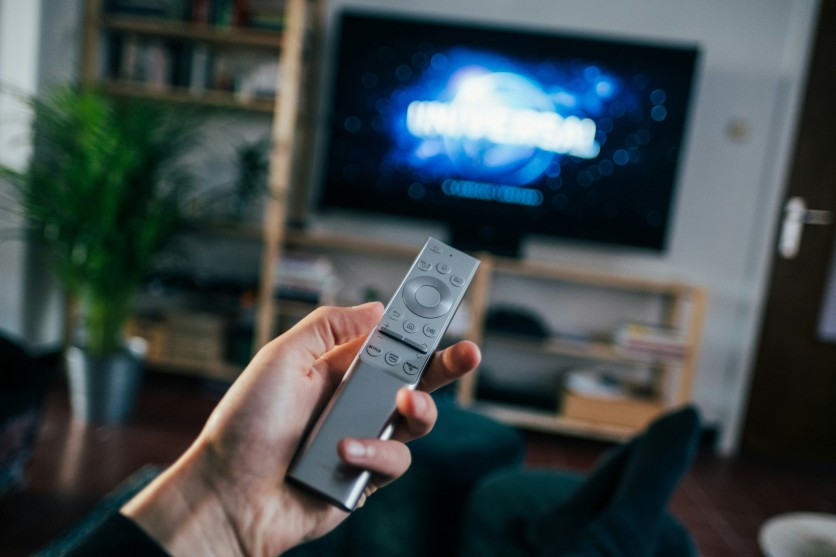
Jonas Leupe/Unsplash
A slow Chromecast or Google TV device can turn even the simplest viewing session into a frustrating experience. Laggy navigation, delayed app loading, and sluggish search results often come from the system working harder than it should. Many users assume they need a brand-new TV or streaming stick, but the solution is often much simpler: using the right Google TV apps to improve responsiveness, reduce clutter, and streamline everyday tasks.
Google TV performance issues usually stem from things happening behind the scenes—excessive cache buildup, too many background processes, aggressive animations, and resource-heavy apps constantly refreshing in the background. With the correct tools, you can speed up Google TV significantly without altering core features or risking device stability. These essential apps work together to clear junk files, reduce interface load, and improve both Wi-Fi stability and system efficiency for smoother streaming overall.
Top 5 Google TV Apps to Boost Performance
To address common bottlenecks, these five Google TV apps target cache management, launcher optimization, and background process control. Each is designed to reduce system strain, increase responsiveness, and make daily navigation faster. Implementing them together creates a smoother streaming experience, even on older devices.
- SD Maid – Cache Cleaner and Junk Remover: Automates cleaning of temporary files, frees RAM, and eliminates leftovers from apps like Netflix and YouTube, significantly improving Google TV performance.
- FLauncher – Lightweight Home Screen Replacement: Cuts bloat from the default launcher, reduces heavy animations, and speeds up navigation for faster browsing and app access.
- Tasker – Background Process Automation: Closes unused apps and stops memory-hogging processes automatically, maintaining consistent performance even during extended streaming sessions.
- Projectivy Launcher – Customizable and Efficient Interface: Offers ad-free, fast-loading home screens that minimize animations, giving a smoother, responsive interface without sacrificing personalization.
- Network Signal Info – Wi-Fi and Connection Monitor: Helps detect weak network spots, optimize connection strength, and reduce buffering issues for uninterrupted streaming.
Read more: PS5 Screen Recording Made Easy: Pro Tips for PlayStation Gameplay Capture and Share Factory Editing
Advanced Google TV Apps for Smoother Operation
While cache cleaning and lightweight launchers address many performance issues, optimizing network connections and using low-resource idle modes can take Google TV performance even further. Apps like Glance display minimal content during idle periods, conserving both RAM and processing power, which helps the device maintain responsiveness for when you resume streaming or navigating menus.
Pairing these tools with network monitoring ensures a more stable and reliable connection. Regularly checking Wi-Fi strength and switching to Ethernet when possible reduces buffering and keeps streaming smooth. These practices, combined with performance-focused apps, allow your Google TV to operate at peak efficiency even during extended viewing sessions.
Additional Tips to Maintain Long-Term Google TV Performance
Beyond installing performance apps, simple habits can keep your Google TV running smoothly over time. Weekly restarts help refresh memory and close lingering processes that contribute to lag, while maintaining at least 20–25% of free storage prevents slowdowns caused by overcrowded memory. Regularly removing unused apps reduces background activity and frees additional RAM, keeping the system responsive.
Enabling automatic updates ensures firmware improvements reach your device without manual intervention, further enhancing performance. Combining these habits with optimization apps maximizes Google TV performance and reliability, enabling seamless long-term streaming and navigation. Key actions include:
- Restart your Google TV weekly to clear memory and lingering processes.
- Maintain 20–25% free storage to prevent slowdowns.
- Uninstall unused apps to reduce background activity.
- Enable automatic system and app updates for ongoing performance improvements.
Conclusion
You don't need to replace your Google TV device to improve slow performance. Essential apps like SD Maid for automated cache cleaning, FLauncher for lightweight navigation, and Tasker for managing background processes can restore responsiveness without costly hardware upgrades. These tools address common bottlenecks, optimize memory, and streamline the interface, making everyday streaming faster and more reliable.
Pairing these apps with simple maintenance habits—such as weekly restarts, keeping 20–25% of storage free, removing unused apps, and monitoring Wi-Fi strength—ensures your device remains stable over time. Consistent optimization enhances Google TV performance, reducing lag and buffering while providing smoother navigation. By combining targeted apps with smart usage practices, you can enjoy a seamless, enjoyable streaming experience on your existing device.
Frequently Asked Questions
1. Why is my Google TV so slow?
Lag often comes from cache buildup, too many background apps, or outdated firmware. Over time, these issues accumulate, reducing overall Google TV performance.
2. How do I clear cache on Google TV?
You can clear cache in system settings, but apps like SD Maid speed up the process by removing temporary files from all apps at once without affecting stored progress.
3. What apps speed up Google TV?
Lightweight launchers like FLauncher, optimization tools like SD Maid, and automation apps like Tasker are among the best options for speeding up Google TV and reducing lag.
4. Does restarting Google TV help performance?
Yes. Rebooting once a week resets background processes and clears temporary system load, making it a practical maintenance step alongside optimization apps.
Read more: How Smart TVs Invade Your Privacy: Expert Tips to Stop Data Collection and Master Privacy Settings

-
 C114 Communication Network
 -
 Communication Home
