Search


A robot vacuum can quietly handle everyday floor cleaning, but its ability to do so depends on more than its navigation system or suction power. Dust, pet hair, tangled fibers, and everyday debris gradually collect inside its components. Without regular attention, these small accumulations can affect cleaning performance, interfere with navigation, and shorten the appliance's useful life.
Robot vacuum maintenance is therefore an important part of keeping the appliance working efficiently. From cleaning the dustbin and filters to checking the wheels and charging contacts, a few simple habits can prevent common problems before they become expensive repairs.
Proper maintenance also matters for indoor air quality. A vacuum with clogged filters or poorly maintained components may struggle to capture dust and allergens effectively. For households with pets, children, or people sensitive to airborne particles, keeping the filtration system clean is particularly important.
Here is a closer look at how to clean, maintain, and troubleshoot a robot vacuum to get consistent performance over time.
Recognize the Signs That a Robot Vacuum Needs Cleaning
Kowon vn/Unsplash
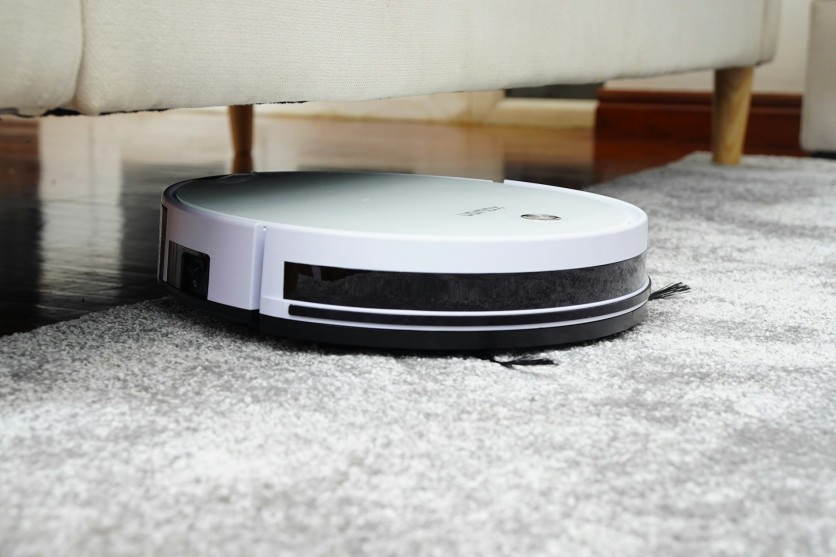
A robot vacuum usually shows noticeable changes when maintenance is overdue. Reduced suction is among the most common warning signs. When dustbins become full, or filters accumulate debris, airflow can become restricted, making it harder for the appliance to collect dirt from floors.
Unusual sounds can also indicate a problem. Grinding noises may suggest that hair or debris has become trapped in the brush roll or wheels. A high-pitched whining sound could indicate restricted airflow or additional strain on the motor.
Navigation problems deserve attention as well. When sensors become covered in dust, the robot may struggle to recognize obstacles, follow its mapped cleaning route, or detect stairs. Dust trails and debris left behind after a cleaning cycle are other signs that the brushes, dustbin, or filtration system may need attention.
Read more: Sonos Ace Ultra FCC Filing Points to Network Wi-Fi, Full Ecosystem Integration
Empty and Clean the Dustbin Regularly
The dustbin collects everything the robot vacuum picks up during cleaning, including dust, crumbs, hair, and other household debris. Allowing it to become overfilled can reduce available capacity and interfere with airflow.
Emptying the dustbin after every few cleaning cycles is a practical habit, although households with pets or heavy foot traffic may need to do it more frequently.
Whenever possible, emptying the container outdoors or directly into a closed trash receptacle helps limit the amount of collected dust released back into the room. The dustbin should also be cleaned periodically according to the manufacturer's instructions to prevent fine particles from accumulating around its corners and openings.
Keep the Filters Clean to Maintain Suction Power
Filters play an important role in capturing fine dust, pollen, pet dander, and other airborne particles collected during vacuuming. Some robot vacuum models use HEPA-grade filtration, which is designed to capture at least 99.97% of particles measuring 0.3 microns under specified test conditions.
However, even effective filters cannot perform properly when clogged with accumulated debris.
For routine cleaning, loose dust can often be removed through gentle tapping or brushing with a soft-bristled brush. Certain filters are washable, while others must remain dry. The owner's manual should always determine the correct cleaning method.
Any washable filter must be completely dry before being reinstalled. Excess moisture can encourage mold growth or damage internal components. Replacement intervals also vary depending on the filter type, cleaning frequency, and household environment.
Remove Hair and Debris From the Brush Roll
The brush roll is one of the components that requires frequent attention, particularly in homes with long-haired residents or shedding pets.
Hair and fibers can wrap around the brush, eventually restricting its movement and reducing its ability to collect dirt. Even robot vacuums with anti-tangle brush designs benefit from occasional inspection.
To clean the brush roll, the appliance should first be switched off. Once removed according to the manufacturer's instructions, tangled hair can be carefully cut away using cleaning tools or scissors designed for this purpose.
The ends of the brush deserve particular attention because hair tends to accumulate around their bearings and connectors. Bristles should also be inspected for visible wear. A damaged or worn brush may need replacement to restore effective floor cleaning.
Clean Navigation Sensors for Accurate Movement
Robot vacuums rely on sensors, cameras, or laser-based navigation systems to understand their surroundings. These components help identify obstacles, map rooms, detect stairs, and navigate between furniture.
Dust and fingerprints can interfere with their accuracy, sometimes resulting in repeated collisions, missed areas, or unexpected navigation errors.
A dry microfiber cloth is generally suitable for gently wiping accessible sensor surfaces. Particular attention should be given to cliff sensors, wall-following sensors, and visible camera or laser components.
Because sensor designs differ between models, cleaning instructions should be checked before touching delicate components. Regular sensor cleaning helps maintain more predictable navigation and efficient cleaning routes.
Inspect Wheels and Charging Contacts
Wheels and charging contacts are easy to overlook during routine maintenance, even though both affect everyday operation.
Hair, threads, and small debris can become trapped around the wheels and caster assemblies. These obstructions may affect movement, cause uneven navigation, or prevent the robot from reaching certain areas.
Charging contacts also collect dust over time. When the electrical connection between the robot and charging dock becomes obstructed, the appliance may have difficulty charging properly.
Both sets of charging contacts should be wiped with a clean, dry cloth. Moisture and liquid cleaning products should be kept away from electrical connections.
Wipe the Exterior and Inspect the Cleaning Components
The exterior housing also deserves occasional attention. Dust and fingerprints can accumulate around the body, while debris may collect near openings and moving components.
A slightly damp microfiber cloth can be used to clean accessible exterior surfaces, provided moisture is kept away from openings, buttons, and electrical components.
Before returning the appliance to its charging dock, the wheels, brushes, dustbin, and other removable parts should be checked for correct installation. A quick inspection can reveal loose components or damage that might otherwise affect the next cleaning cycle.
Follow a Consistent Robot Vacuum Maintenance Schedule
Regular maintenance becomes easier when it is incorporated into a household cleaning routine.
After every few cleaning cycles, the dustbin should be emptied and the brush roll checked for visible hair accumulation. Weekly attention can be given to the filters, sensors, and charging contacts, particularly in homes with pets or higher dust levels.
A more thorough inspection should take place monthly. This can include removing the main brush, cleaning the wheel assemblies, inspecting the exterior, and checking whether any components show signs of wear.
Filter and brush replacements should follow the manufacturer's recommended intervals. These schedules are not identical across all models, so the owner's manual remains the most reliable reference.
Troubleshoot Common Robot Vacuum Problems
When a robot vacuum stops performing as expected, routine maintenance is a sensible first step.
Reduced suction usually points to an overfilled dustbin, a clogged filter, or debris obstructing the airflow path. Cleaning these components may restore normal operation.
Navigation errors can result from dirty sensors, obstructed wheels, or changes in the surrounding environment. Cleaning the sensors and checking the wheels can help identify the cause.
Unusual mechanical sounds should not be ignored. Hair trapped around rotating components can create resistance, while persistent motor noises may indicate a more serious internal problem.
If the appliance continues malfunctioning after basic cleaning and inspection, professional servicing may be necessary. Attempting unauthorized repairs can also affect warranty coverage.
Understand How Robot Vacuum Maintenance Affects Indoor Air Quality
A robot vacuum does more than collect visible dirt. Its filtration system also helps capture smaller particles that accumulate on floors, including dust, pollen, and pet dander.
When filters are clogged or damaged, their ability to capture these particles may be compromised. This makes regular filter inspection particularly relevant in households where indoor allergens are a concern.
Maintaining a clean vacuum can support a broader indoor air quality routine, although a robot vacuum should not be considered a replacement for adequate ventilation or a dedicated air purifier when additional air filtration is needed.
For households with pets or allergy-sensitive occupants, combining regular floor cleaning with appropriate air filtration and dust-control habits can provide a more complete approach to managing household allergens.
Keep Your Robot Vacuum Performing at Its Best
A robot vacuum can remain a dependable part of a household cleaning routine when its components receive consistent attention. Regular dustbin emptying, filter cleaning, brush maintenance, and sensor inspection help prevent common performance problems while supporting the appliance's longevity.
Rather than waiting for suction loss or navigation errors to appear, following a practical maintenance schedule allows owners to address everyday wear before it affects cleaning efficiency.
Frequently Asked Questions
How often should a robot vacuum be cleaned?
A robot vacuum should be checked after every few cleaning cycles, with dustbins emptied regularly and brushes inspected for tangled hair. Filters, sensors, and charging contacts generally benefit from weekly attention, while more comprehensive cleaning can be performed monthly.
Can robot vacuum filters be washed with water?
Some robot vacuum filters are washable, but others are designed for dry cleaning or replacement only. The manufacturer's instructions should always be followed. Washable filters must be completely dry before being reinstalled.
Why is a robot vacuum losing suction?
Reduced suction commonly results from a full dustbin, clogged filter, tangled brush roll, or blocked airflow. Cleaning these components is a good first troubleshooting step.
How do you clean a robot vacuum brush roll?
The brush roll should be removed according to the manufacturer's instructions. Tangled hair and fibers can then be carefully removed using an appropriate cleaning tool. Its bristles and end bearings should also be inspected for damage or accumulated debris.
Do robot vacuums need regular sensor cleaning?
Yes. Dust-covered sensors can interfere with obstacle detection, mapping, and navigation. Gently wiping accessible sensor surfaces with a dry microfiber cloth helps maintain accurate movement.
How long does a robot vacuum last?
A robot vacuum's lifespan depends on its build quality, usage frequency, operating environment, and maintenance. Regular cleaning and timely replacement of worn components can help extend its useful life.
When should robot vacuum filters be replaced?
Filter replacement schedules vary by model and usage. Homes with pets, heavy dust accumulation, or frequent cleaning cycles may require more frequent replacements. The manufacturer's recommended replacement interval should be used as the primary guide.
When should a robot vacuum be professionally serviced?
Professional servicing may be necessary when the vacuum continues experiencing motor problems, charging failures, electronic malfunctions, or unusual mechanical noises despite proper cleaning and basic troubleshooting.

-
 C114 Communication Network
-
 Communication Home