Search


Missing a doorbell while wearing noise-cancelling headphones or failing to hear an alarm from another room can be frustrating.
Apple's Sound Recognition feature offers a practical solution by allowing compatible devices to listen for specific sounds and send notifications when they are detected. With the feature now extended to compatible Apple Watch models, alerts can reach a user's wrist even when their iPhone is not within reach.
Originally designed as an accessibility tool for people who are deaf or hard of hearing, Apple Watch Sound Recognition also has everyday applications for people who work with headphones, live in noisy environments, or want to stay aware of sounds around them.
Here's how the feature works, which sounds it can recognize, and how to set it up.
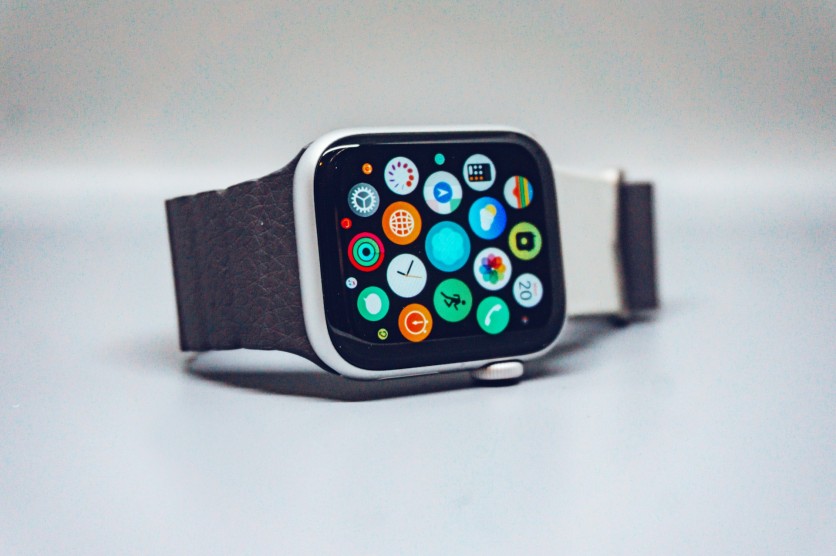
Apple Watch Can Recognize 15 Different Sounds
Simon Daoudi/Unsplash
Apple's Sound Recognition feature can monitor selected environmental sounds and notify users when it identifies one. Instead of alerting users to every noise in the background, it focuses on specific sounds that may require attention.
The supported sounds include fire alarms, sirens, smoke alarms, car horns, doorbells, door knocks, and glass breaking. It can also recognize household appliances, kettles, running water, cats, dogs, babies crying, coughing, and shouting.
Users can choose which sounds they want their devices to monitor through the iPhone's Accessibility settings. This makes the feature more practical because notifications can be limited to sounds that matter in a particular environment.
For example, someone working from home may prioritize doorbells and knocks, while another user may want notifications for smoke alarms, sirens, or a baby crying.
Read more: iPhone 18e Could Get a Major Camera Redesign as iPhone Air 2 Adds an Extra Lens
Doorbell Detection Is Useful When Wearing Headphones
One of the more practical uses of Apple Watch Sound Recognition is detecting a doorbell when the sound is difficult to hear.
Noise-cancelling headphones, loud music, television, or background noise can make it easy to miss someone at the door. For people expecting a package or delivery, a missed doorbell can mean waiting longer or having to arrange another delivery attempt.
With Sound Recognition enabled, the Apple Watch can provide a notification when it detects a selected doorbell sound. This gives users another way to stay aware of what's happening around them without constantly removing their headphones or checking their phone.
The same functionality can be useful for detecting knocks, particularly when someone is working in another room or concentrating on a task.
The Feature Is Designed for Accessibility but Has Everyday Uses
Sound Recognition is part of Apple's accessibility features, particularly its hearing-related tools. It can provide an additional layer of awareness for people who may not hear certain environmental sounds clearly.
However, its usefulness extends beyond accessibility needs. People working remotely, studying, listening to music, or using headphones throughout the day may also benefit from sound notifications.
Instead of relying entirely on hearing, users can receive visual or haptic alerts through their devices when a recognized sound occurs. This can make everyday activities more convenient, especially in environments where background noise or distance makes certain sounds difficult to notice.
How to Enable Sound Recognition on Apple Watch
Setting up Sound Recognition requires adjusting the Accessibility settings on a compatible iPhone. Once configured, selected sounds can also be detected by a compatible Apple Watch when the detection option is enabled.
To begin, users can open the Settings app on their iPhone and navigate to Accessibility. Under the Hearing section, they can select Sound Recognition and turn the feature on.
The Detect using Apple Watch option should then be enabled so the watch can participate in recognizing selected sounds. Under the Sounds menu, users can choose individual alerts, such as Doorbell, Smoke Alarm, or Siren. Specific alert tones can also be assigned to different recognized sounds.
If Sound Recognition is already enabled on the iPhone, it may automatically carry over to the Apple Watch, reducing the need for additional setup.
Users Can Train Their iPhone to Recognize Custom Sounds
Not every doorbell, alarm, or appliance produces the same sound. Some household devices use distinctive tones that may not match the built-in recognition categories.
Apple provides an option to teach the iPhone to recognize certain custom sounds, including alarms, appliances, and doorbells. This allows the feature to be adapted to sounds specific to a user's home.
Custom recognition can be particularly useful for unusual doorbell chimes or appliances with unique alert tones. Rather than relying exclusively on preset sound categories, users can configure recognition around sounds they regularly encounter.
Sound Recognition Processes Audio on Apple Devices
Privacy is another consideration for a feature that listens for environmental sounds. According to Apple, Sound Recognition processes audio on the iPhone and Apple Watch and does not record or store the detected audio.
The feature is intended to identify particular sound patterns and notify users when they are recognized, rather than function as a continuous audio recording tool.
Nevertheless, Apple advises against treating Sound Recognition as a safety system. It should not be relied upon in situations involving emergencies, potential injury, navigation, or other high-risk circumstances where missing an alert could have serious consequences.
Apple Watch Sound Recognition Adds Convenience to Daily Life
Sound Recognition gives compatible Apple devices another way to help users stay aware of their surroundings. From detecting a delivery at the door to identifying alarms and household sounds, the feature can be useful in situations where hearing a notification is not always possible.
Its greatest advantage is flexibility. Users can select the sounds that matter, customize alerts, and use the Apple Watch as an additional notification point while going about their daily routines.
Frequently Asked Questions
What sounds can Apple Watch Sound Recognition detect?
It can recognize 15 categories of sounds, including fire alarms, smoke alarms, sirens, doorbells, door knocks, car horns, glass breaking, dogs, cats, babies crying, appliances, kettles, running water, coughing, and shouting.
Can Apple Watch notify users when someone rings the doorbell?
Yes. When Doorbell is selected in Sound Recognition settings and Apple Watch detection is enabled, the watch can send a notification when it recognizes a doorbell.
Does Apple Watch Sound Recognition work with headphones?
Yes, it can be useful while wearing noise-cancelling headphones because notifications can alert users to selected sounds they may otherwise miss.
Is Apple Sound Recognition always recording audio?
Apple states that Sound Recognition processes audio on the iPhone and Apple Watch and does not record or store the audio it detects.
Can Apple Watch recognize a custom doorbell sound?
Users can train their iPhone to recognize certain custom sounds, including specific doorbells, alarms, and appliances, through Sound Recognition settings.
Is Apple Watch Sound Recognition reliable during emergencies?
It is an accessibility and convenience feature, not a certified safety system. Apple advises users not to rely on it for emergencies or situations where missing a sound could result in harm.

-
 C114 Communication Network
-
 Communication Home