Search


Luke Chesser on Unsplash
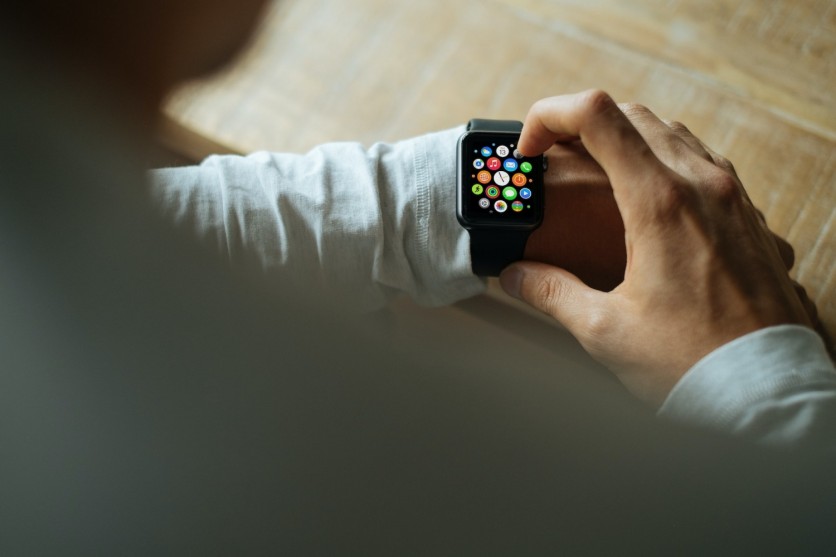
A smartwatch on an older person's wrist no longer has to look like a medical device. It can look like the same watch anyone else wears, while quietly working in the background to support their health and safety.
That blend of independence and protection is part of what makes the Apple Watch useful for aging users. Setting up a handful of built-in alerts can turn the device into a genuine safety net without changing how it looks or feels to wear.
Apple Watch Is a Top-Notch Health Tracker
Engadget noted that Apple Watches are worn by people of all ages, so the device does not mark someone as vulnerable the way a medical alert pendant might. That distinction matters to many older adults who do not see themselves as seniors, as the National Institute on Aging has explained, and who want tools that support independence rather than announce fragility.
Features like stand and movement reminders, fitness tracking, and the step counter help older users stay active, which supports better health over time. Engadget added that Apple continues to invest in healthcare research, which is improving the watch's ability to detect short-term illness and support self-care.
With permission, the Find My app also lets younger family members keep track of an older relative's location. Beyond that broader tracking, Engadget outlined several specific health alerts that older adults should turn on.
Set Up an Elderly Person's Emergency SOS
Apple
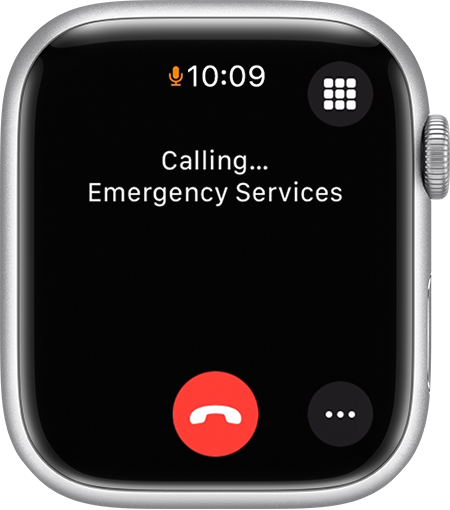
Emergency SOS, Medical ID, and Emergency Contacts form the core of the watch's emergency toolkit, and Engadget described them as especially useful for seniors. Emergency SOS contacts emergency services when something goes wrong, and it works by pressing and holding the side button, then either dragging the Emergency Call slider or continuing to hold the button until the call goes through. This requires a cellular watch with an active plan, Wi-Fi calling, or a paired iPhone nearby.
To turn it on, open the Watch app on the iPhone, tap Emergency SOS, and switch on Hold Side Button to Dial. Medical ID and Emergency Contacts live inside the Health app, where tapping the profile picture and selecting Medical ID brings up fields for personal details and trusted contacts.
Keeping allergies and conditions current inside Medical ID matters because medics who find the watch will review that information first responders can act on. Engadget emphasized that this detail helps first responders deliver the right treatment quickly in an emergency.
Fall Detection: Share Alerts Whenever a Senior Unexpectedly Falls
Apple
More than one in four adults aged 65 or older falls unexpectedly each year, according to the Centers for Disease Control and Prevention, and 319,000 older adults are hospitalized annually for hip fractures caused by falls. Additionally, Pew Research shared more research data showing that 26 percent of American adults 65 and older lived alone in 2023, which raises the stakes if a fall happens without anyone nearby.
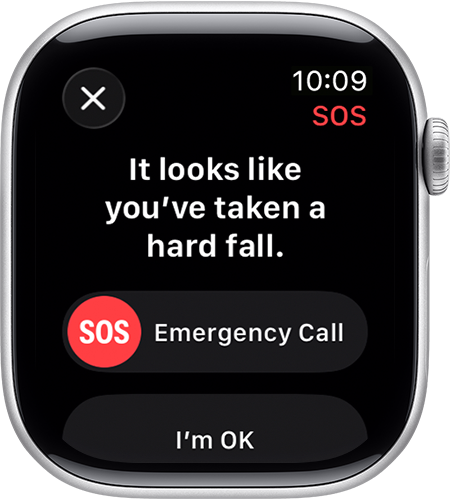
Fall Detection turns on automatically once someone tells the Health app they are 55 or older, and it calls emergency services if the watch's sensors detect the wearer is immobile after a fall. When a fall is detected, an alert appears on the watch display asking whether the person fell, and if there is no response or the wearer stays still, the system calls for help on its own.
To enable it, open Emergency SOS in the iPhone's settings and toggle the feature on, then open Settings, then SOS on the Apple Watch itself, turn Fall Detection on, and select Always On. A related feature called Crash Detection works the same way after a car crash and is available on recent Apple Watch models through the Call After Serious Crash toggle inside Emergency SOS.
Heart Health Alerts: Monitor ECG and More
Apple
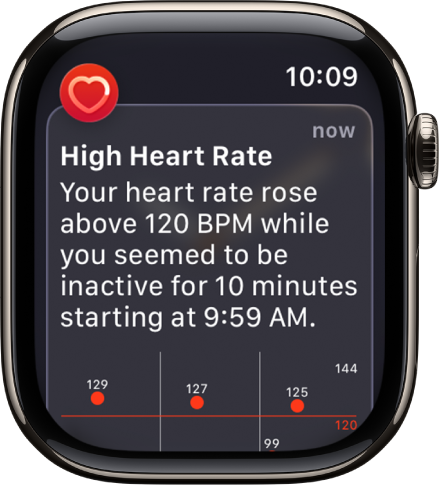
Someone in the United States dies of cardiovascular disease every 34 seconds, as per CDC data, and while the Apple Watch cannot identify a heart attack directly, this feature can help monitor overall heart health. The watch continuously measures heart rate using green and infrared LED lights on its back, and this tracking happens automatically once the feature is active.
A separate ECG feature lets a wearer take an electrocardiogram reading to help detect irregular heart rhythms or signs of atrial fibrillation. Opening the ECG app, holding the wrist steady, and touching the Digital Crown produces a reading in about thirty seconds.
The watch can also send a warning when heart rate climbs above or drops below a set threshold, such as above 120 beats per minute or below 40. All of this data flows into the Health app on the paired iPhone, which also calculates a VO2 Max estimate of overall cardio fitness based on the watch's sensor readings.
Sound and Accessibility Alerts
Hearing loss becomes more common with age, and the hearing health organization Achieve estimates that one in four adults in their sixties in the United States experience it. Apple's Sound Recognition tool addresses this by using the watch and iPhone together to listen for specific sounds, such as doorbells, sirens, or fire alarms, and then alerting the wearer when one is detected.
Turning it on means opening Accessibility Settings on the iPhone, tapping Sound and Name Recognition, then Sound Recognition, switching it on, and choosing which sounds to listen for. Apple has also built in tools for people with low vision, including a Control Center shortcut that lets a wearer adjust font size on the watch by pressing the side button, tapping the AA icon, and turning the Digital Crown.
Medication Reminders via Health
Apple
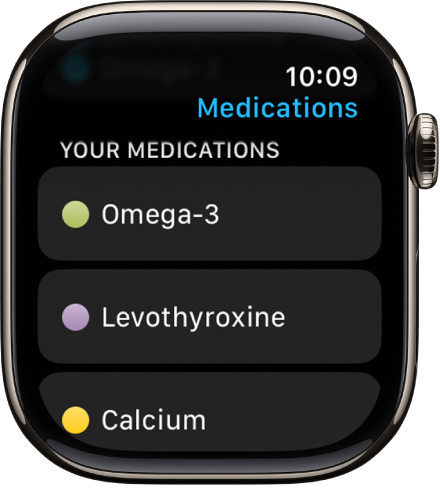
Medication Reminders help a wearer stay on schedule with prescriptions, and the setup happens inside the Health app. Opening Browse, then Medications, then Add Medication lets someone search for a specific drug, add it, and follow the prompts to build a dosing schedule before tapping Done.
Once a schedule is active, the Apple Watch taps the wrist and sends a notification when it is time for a dose, and multiple medications can be tracked at once. The app can also build a log of medication compliance that can be shared with a doctor during checkups.
A related sleep feature can flag potential signs of sleep apnea for further medical evaluation. Turning on Track Sleep with Apple Watch in the Sleep settings, then enabling Sleep Apnea Notifications under Browse and Respiratory in the Health app, sets this up for ongoing monitoring.

-
 C114 Communication Network
-
 Communication Home