
 Search

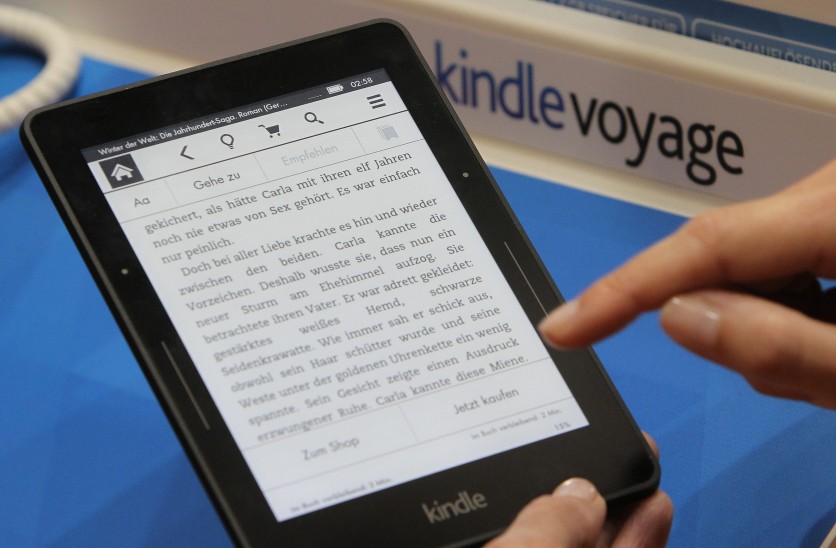
A kindle e-book reader is pictured at the Book Fair in Frankfurt, Germany, October 15, 2015. DANIEL ROLAND/Getty images
Today, June 30, 2026, Amazon permanently disabled the legacy Kindle for PC app — and unlike most software sunsets, even an already-installed copy will stop authenticating by the end of the day. The replacement is available right now in the Microsoft Store, supports both Windows 10 and Windows 11, and is free to download. But two groups of users face real trouble: anyone running Windows on an ARM processor, and anyone still being sent to the wrong download page by Amazon's own international storefronts.
What this shutdown reveals matters beyond the inconvenience: Kindle books are DRM-protected licenses that only Amazon can authorize, which means no competing app can legally read them. When Amazon restructures access to its platform, users have no alternative — and no recourse.
Kindle for PC Is Dead — and Preloading It Will Not Save You
Good e-Reader reported in April 2026 that Amazon notified users via an in-app pop-up in version 2.9.1 that the legacy Kindle for PC application — a 32-bit Win32 desktop app that launched in 2009 and ran across a wide range of Windows versions — would cease functioning on June 30. The cutoff is enforced server-side: once Amazon disables authentication for the old app, no installed copy, including copies downloaded from third-party sites minutes before the deadline, will work. The app cannot open books without connecting to Amazon's servers to verify the license.
This is categorically different from a passive retirement, where old software stops receiving updates but keeps running. Amazon is actively pulling the plug on the back end. The closest parallel in recent memory was Adobe's Flash shutdown in January 2021, where content was blocked from running in Flash Player even if the player itself was still installed.
The reason Amazon gives for the shutdown: the legacy app runs on a 32-bit Win32 framework that, in Amazon's assessment, can no longer meet the security and performance standards required by modern systems. The new replacement is a 64-bit native app built for the Microsoft Store, with tighter hardware-level encryption that uses Windows' Trusted Platform Module (TPM) to tie DRM decryption directly to the machine — making it significantly harder for third-party DRM-removal tools to function.
What App Replaces Kindle for PC — and What It Actually Supports
Amazon's replacement is the Kindle for Windows app in the Microsoft Store. It was released for US and UK users in early June 2026, with a global rollout following throughout the month.
What it supports: Windows 10 version 1809 (October 2018 Update) and later; all Windows 11 editions; e-books, comics, and manga including ComiXology Guided View; audiobooks purchased through Audible or Amazon; cross-device sync for reading progress, highlights, and notes; personal document sideloading; and touch input alongside keyboard and mouse.
What it does not support: ARM-based Windows machines. Users running Windows on Qualcomm Snapdragon processors — including the Microsoft Surface Pro 11 (Snapdragon X Elite) and other ARM Windows laptops — cannot install the new app from the Microsoft Store. Multiple users have confirmed the Store blocks installation on these devices. Amazon has not acknowledged this gap publicly or provided a timeline for ARM support. Additionally, Windows 10 machines running versions earlier than 1809 are excluded.
One migration caveat: books downloaded to the old Kindle for PC app do not transfer automatically. After signing into the new app with the same Amazon account, all purchased titles appear in the cloud library and must be manually re-downloaded within the new app.
Three Actions to Take Right Now
Check your processor before downloading. If you own an ARM-based Windows laptop or tablet — any device with a Qualcomm Snapdragon chip, including the Surface Pro 11 or any laptop branded as running Windows on ARM — the new Kindle for Windows app will not install. Your best alternative right now is Kindle Cloud Reader at read.amazon.com, Amazon's browser-based reading interface that works in Chrome, Edge, Firefox, and Safari without any installation.
Download the new app from the Microsoft Store if you are on Windows 10 (version 1809 or later) or Windows 11 with an x86 or x64 processor. Search "Kindle" in the Microsoft Store or navigate to the app through Amazon.com. Sign in with your Amazon account, and your library will appear in the cloud tab. Download titles individually before reading offline.
Verify your highlights and notes are accessible. Your annotations are stored in your Amazon account and will not be lost. They are accessible at read.amazon.com/notebook regardless of which reading app you use going forward.
Read more: Amazon Ends Kindle Store Support For Models Released Before 2012—Is Your Device Affected?
Why Amazon's Own Storefronts Are Making This Harder
As of mid-June 2026, Amazon's international storefronts had not consistently updated their download pages to point users toward the new app. Good e-Reader's checks found that Amazon.com in the United States correctly directs users to the Microsoft Store listing, while Amazon Canada and Amazon UK were still linking to the legacy Kindle for PC installer. Amazon Germany took a different path: clicking "Kindle for PC" on the German storefront redirected users not to the new Windows app, but to the Kindle app for Android.
A user who follows the Canadian or UK storefront link today will be directed to an installer for an app that stops working the same day it downloads. Whether Amazon has corrected these links in the days since mid-June is unverified as of publication.
What an E-Book License Actually Means — and Why This Matters
The Kindle for PC shutdown illustrates a structural feature of digital book ownership worth stating plainly.
When a reader purchases a Kindle book, they do not receive a file. They receive a revocable license to access content through Amazon's apps and devices, protected by DRM that only Amazon is authorized to decrypt. No competing e-reader platform — not Kobo, not BOOX, not any third-party application — can legally read Kindle DRM-protected content. This creates a form of vendor lock-in with no switching cost alternative, structurally different from other digital media categories: music streaming users can switch platforms because their music was never tied to DRM; video streaming users never purchased files. Kindle buyers, however, typically experience their purchases as permanent — until a transition like today's makes the conditional nature of that access visible.
Wikipedia's article on digital rights management notes directly that "works can become permanently inaccessible if the DRM scheme changes or if a required service is discontinued." Today's shutdown does not eliminate access — Amazon is providing a replacement app. But it demonstrates the mechanism: Amazon can restructure how an entire library is accessed, on its own timeline, without reader input or recourse.
Does the New Kindle App Actually Work on Windows 10?
This was the most contested question in the weeks leading up to today. Amazon's own customer service help page still lists "Windows 11" as the supported operating system for the new app. However, the Microsoft Store listing for the app specifies Windows 10 version 17763.0 (the October 2018 Update, also called version 1809) as the minimum requirement, and multiple independent sources — including The e-Book Reader, Good e-Reader, and Windows Forum — confirmed the app installs and runs correctly on compatible Windows 10 machines.
The practical guidance: if you are on Windows 10 version 1809 or later, open the Microsoft Store and search for "Kindle." If your hardware and OS version are compatible, the Store will allow installation. If your device runs an ARM processor, the Store will block it. Amazon's own documentation on this point is inconsistent. The most reliable check is the Store itself.
Frequently Asked Questions
Will I lose my purchased Kindle books?
No. Purchased titles remain in your Amazon account and are accessible through any supported Kindle app, device, or Kindle Cloud Reader at read.amazon.com. The app dying does not delete your library. What the shutdown changes is which software you use to read those books on Windows — not whether you hold the license to them.
Why did Kindle for PC stop working today?
Amazon disabled server-side authentication for the legacy app, which runs on a 32-bit Win32 architecture Amazon says can no longer meet modern security standards. Even a freshly installed copy cannot authenticate without Amazon's servers. This is not a software bug — it is a deliberate, enforced cutoff.
Does the new Kindle app work on Windows 10?
Yes, for most Windows 10 machines. The Microsoft Store listing requires Windows 10 version 1809 (October 2018 Update) or later. Amazon's own help page still lists only Windows 11 as officially supported, which created widespread confusion in the weeks before the shutdown. ARM-based Windows machines — including those running Qualcomm Snapdragon processors — are not supported by the new app as of today.
Does today's shutdown mean I don't actually own my Kindle books?
Technically, Kindle purchases have always been DRM-protected licenses to access content through Amazon's authorized apps — not portable files. No competing platform can legally read them. Amazon can restructure how that access works, as it has done today, without reader input. The permanent library the purchase page implied is, in practice, an account-dependent access grant that Amazon controls. Kindle Cloud Reader at read.amazon.com provides a browser-based fallback that does not depend on any specific desktop app.

-
 C114 Communication Network
 -
 Communication Home
