
 Search


Mount-It!
Getting TV placement wrong is more common than people think. Mount it too high and your neck takes the hit every single time you sit down to watch something. Too low and the whole setup feels awkward. The fix is simpler than most guides make it sound. A tape measure, about ten minutes, and the right information get you sorted.
Start with Your Seated Eye Level
This is the measurement that matters most, and it starts with sitting down. Not with perfect posture, but in your actual relaxed position. The way you'd sit on a regular evening at home. Have someone measure from the floor straight up to your eyes. That number tells you exactly where the center of your TV screen should sit on the wall.
For most adults on a standard couch, that number lands around 42 inches. But seating varies, so here's a quick reference:
- Low modern sofa: 38–40 inches
- Standard couch: 40–42 inches
- Plush recliner: 42–44 inches
- Bar stools or high seating: 46–50 inches
These are averages, so the actual measurement from your own setup will always be more accurate. Once you have that number, you know exactly where the center of the screen needs to go.
Factor In Your TV Size
Your eye-level measurement is your anchor point, but the size of the screen affects where the mount actually goes on the wall. A 75-inch TV has a much higher center point than a 40-inch one, so the math changes depending on what you're working with.
Here's a straightforward way to find your TV's center point:
- Measure the full height of the TV screen from top to bottom, not including the stand
- Divide that number by two
- That result tells you how far the center sits from the bottom edge of the screen
Some common examples to give you a reference point:
- 55-inch TV: Usually about 27 inches tall, the center sits around 13.5 inches from the bottom
- 65-inch TV: Typically around 32 inches tall, centered at about 16 inches
- 75-inch TV: Around 37 inches tall, center point at about 18.5 inches
Before you drill anything, cut a piece of cardboard to the same size as your TV and tape it to the wall at the height you're planning. Sit down and look at it. It sounds low-tech, but it's genuinely the best way to avoid a costly mistake. For more room-specific calculations, Mount-It!'s optimal TV height guide is a useful reference.
Match Your Viewing Distance to Your Screen Size
Height is only one side of the equation. How far back you sit from the screen directly affects how comfortable the experience feels and whether the height you chose actually works well.
A widely used guideline from the Society of Motion Picture and Television Engineers suggests your TV should fill about 30 degrees of your field of view. In real terms, that translates to these distance ranges by screen size:
- 55-inch TV: 7 to 11.5 feet from the screen
- 65-inch TV: 8 to 13.5 feet
- 75-inch TV: 9.5 to 15.5 feet
Sitting too close to a large screen feels overwhelming. Sitting too far back loses that sense of immersion. Distance and height also interact with each other. If you have a large TV and you're sitting within the closer end of that range, raising the center an inch or two above your eye-level measurement can help the full screen sit more naturally in your sightline.
Special Situations: Fireplaces and Bedrooms
Standard setups with a clear wall directly opposite the couch are easy. Two situations come up regularly that need a different approach, and the advice for each one is quite different.
Mounting Over a Fireplace
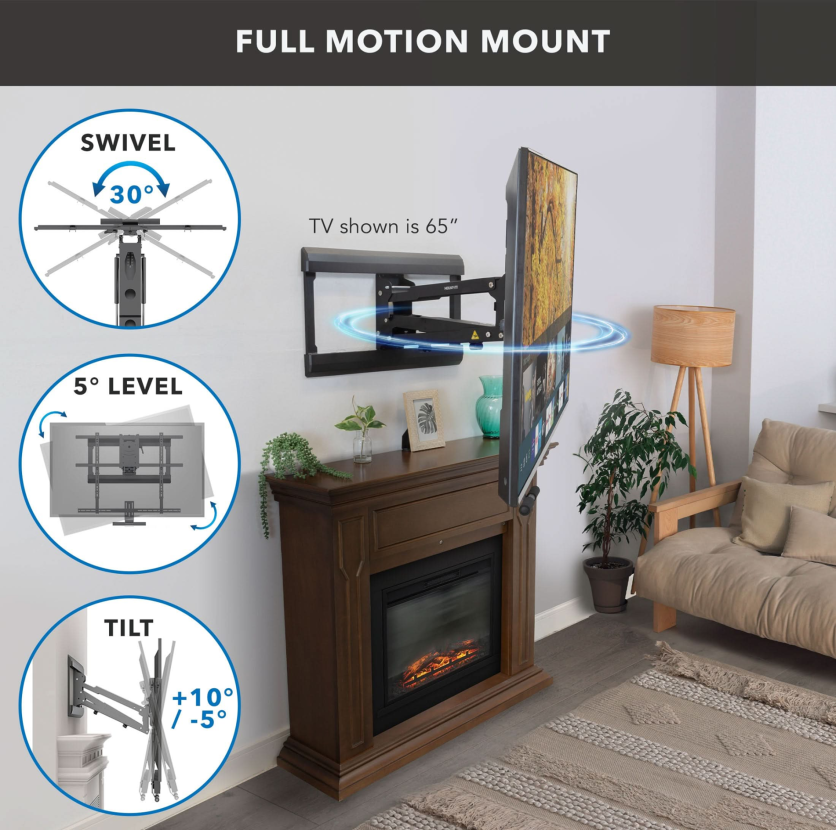
Placing a TV above a fireplace almost always means mounting it higher than ideal. That forces you to look upward for the entire time you're watching, which causes neck strain faster than people expect.
Mount-It!
If the fireplace wall is the only option in your room, a tilting TV mount is the practical solution. Angling the screen downward toward your seated position significantly reduces the strain. Without tilt, you're just pointing a screen at the ceiling.
Heat is the other issue to address before installation:
- Run the fireplace for about an hour, then hold the back of your hand against the wall where the TV will go
- If the wall feels uncomfortably warm, that spot is not safe for electronics
- Keep at least 4 to 8 inches of clearance between the top of the mantel and the bottom of the TV
Setting Up in the Bedroom
Bedroom viewing works differently because your posture is different. You're not sitting upright, you're reclined against pillows. Your eye level from that position is higher than it would be on a living room couch, so the TV needs to go higher to match.
The process is the same, just done from your actual sleeping position:
- Get into the position you'd normally watch TV from in bed
- Have someone measure from the floor to your eyes
- Use that measurement as your center point for mounting
Most bedroom setups end up placing the TV centered between 48 and 60 inches from the floor. A tilting mount still helps here. Angling the screen slightly downward from a higher position gives you a much cleaner picture than a flat-mounted screen aimed straight at the wall.
Choosing the Right Mount for Your Room
All the planning in this guide only holds up if the hardware is right for the job. The mount you choose determines how much adjustability you have and how safely the TV stays in place long term.
Mount-It!
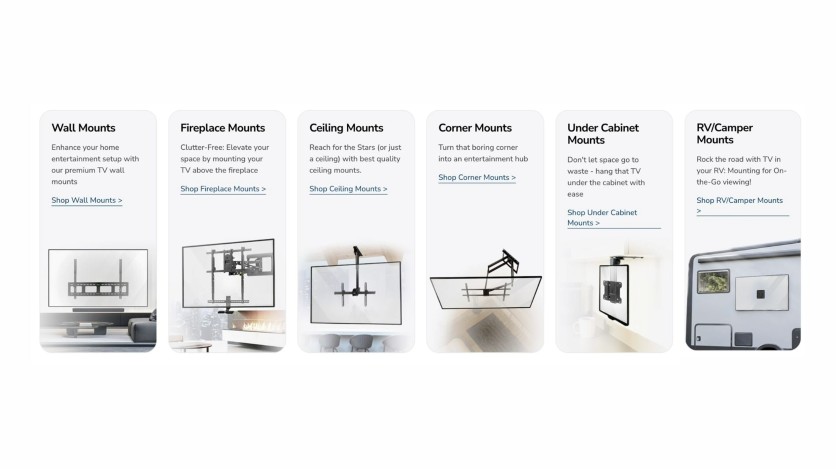
There are three main types worth knowing, and each one solves a specific kind of problem:
- Fixed mounts hold the TV flat against the wall with no movement. The best choice when you already have a perfect sightline and don't need any adjustment.
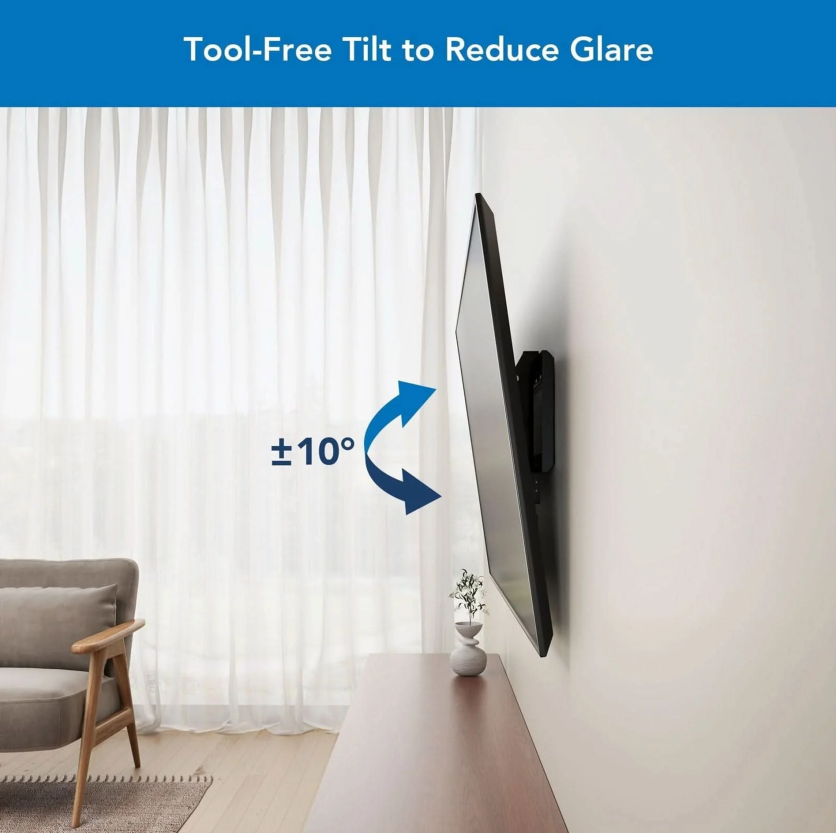
- Tilting mounts let you angle the screen up or down. Essential for above-eye-level placements like over a fireplace or in a bedroom, and useful for cutting down glare from windows or overhead lighting.
- Full-motion mounts extend from the wall, tilt, and swivel in multiple directions. The right pick for corner placements or open-plan rooms where seating comes from more than one spot.
A few things to check before installation:
- Anchor into wall studs, not drywall. Drywall alone cannot hold the weight of a TV safely.
- Use a level. A slightly crooked TV is distracting every time you look at it.
- Confirm the mount's weight rating exceeds your TV's actual weight. That extra margin matters for safety.
Mount-It!
Mount-It! carries tilting and full-motion options covering screens from 19 inches up to 120 inches. The Advanced Tilt Premium TV Wall Mount (MI-382) fits TVs from 40 to 80 inches and supports up to 154 lbs. For larger screens, the Heavy Duty XXL Tilt TV Mount (MI-14009) handles 60 to 120-inch displays and holds up to 264 lbs. You can browse the full range of Mount-It! TV mounts to find the right fit for your screen size and room layout.
Putting It All Together
Good TV placement comes down to a few real measurements taken in your actual space. Know your seated eye level. Account for your screen size. Match your viewing distance. Then choose the mount type that fits your room's layout.
That process, done properly, turns a well-chosen TV into a genuinely comfortable viewing experience. And it starts with nothing more than a tape measure and about ten minutes of your time.

-
 C114 Communication Network
 -
 Communication Home
