
 Search


Mount-It!
A wall-mounted TV changes a room. It frees up space, reduces clutter, and gives the whole setup a cleaner feel. But once you start planning the install, the wall doesn't always cooperate. Studs are in the wrong spot. The section of wall you want is hollow between the framing. You're renting and can't do major drilling. These are real, common situations, and they all have workable solutions. The key is understanding what drywall can hold, which hardware gets you there safely, and where the line is between a solid install and one that'll cause problems later.
What You're Actually Working With: Drywall Basics
Most residential walls are drywall, a panel of compressed gypsum wrapped in paper. It comes in two standard thicknesses: 1/2 inch, which is the most common in homes, and 5/8 inch, which shows up more often in commercial spaces and some newer construction. Both can support a wall-mounted TV, but neither does it on its own.
Drywall needs anchors to hold anything meaningful. The wall surface transfers load to the anchors, and the anchors either grip the drywall itself or brace against the back of it. How much weight the setup can handle depends almost entirely on the anchor type, the number of anchor points, and the condition of the wall.
Why Your Mount Type Changes the Equation
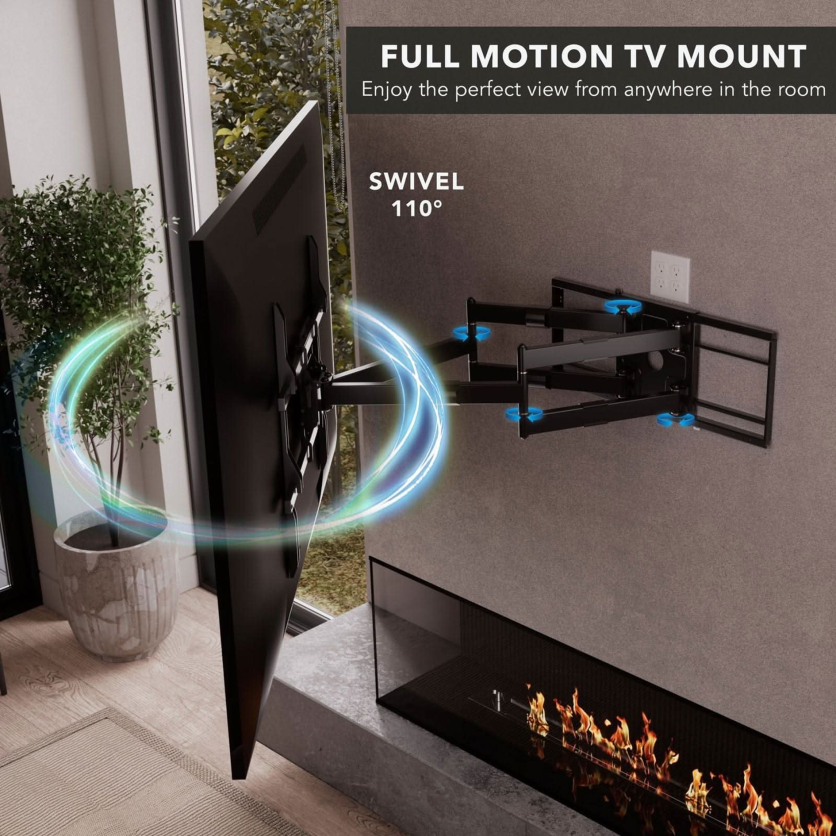
A fixed mount keeps the TV stationary and flat. Weight goes straight back into the wall, and the anchor handle that load cleanly. A full-motion mount introduces a variable that most people underestimate. When the arm extends outward, the physics change. The TV's weight becomes a lever, and that multiplies the force applied to each anchor point. A mount rated for 100 lbs on a fixed setup may put considerably more effective stress on the wall when fully extended.
Choosing anchors based on TV weight alone, without factoring in mount type, is one of the most common mistakes in drywall installations.
The Right Anchor for the Job
Anchors aren't interchangeable. Each type works differently and suits a different load range. Here's a breakdown of the four main options used for TV mounting on drywall:
- Toggle bolts use spring-loaded wings that spread open behind the wall when the screw is tightened. The wings press against the back of the drywall and distribute the load. Rated for 50 to 100+ lbs, they're a reliable choice for heavier TVs on tilt or fixed mounts.
- Snaptoggles lock a metal channel behind the wall while flat plastic straps remain flush on the front. With ratings up to 200+ lbs in some configurations, they're among the strongest drywall-only anchors available. A good option for fixed or tilt mounts when studs aren't accessible, though full-motion mounts on drywall alone still carry real risk regardless of anchor type.
- Molly bolts expand behind the wall as the screw is driven in. Good for medium loads in the 25 to 50+ lb range. A practical benefit: you can remove and reinstall the screw without losing the hold, which is useful when adjusting a mount after initial installation.
- Elephant anchors are self-drilling plastic anchors that expand on installation. They work for lightweight TVs on fixed mounts only. Not appropriate for large screens or any mount that articulates.
Mount-It!
A note on ratings: anchor load specs assume a direct, straight-back pull. When a full-motion mount extends and the force angle shifts, effective load capacity drops. Factor in how the mount behaves under real conditions, not just what the TV weighs on paper.
Studs and Backer Boards: Structural Support When Anchors Aren't Enough
Drywall anchors handle a wide range of installs, but there are situations where additional structural support is the safer call. Studs are vertical wooden beams inside your wall, typically 2x4 or 2x6, spaced either 16 or 24 inches apart. Anchoring into at least one stud gives a heavier TV or a full-motion mount a much stronger foundation than drywall alone.
If you find a stud on one side of your mount but not the other, combining a stud anchor on one side with a Snaptoggle on the other is a reasonable approach, as long as the combined ratings comfortably cover your TV and mount's total weight.
When a Backer Board Is the Right Call
A backer board is a plywood or metal panel that mounts to the wall first, using multiple anchors spread across its surface. The TV bracket then attaches to the board, distributing the load across a wider area than a few anchor points alone.
Consider a backer board in these situations:
- Full-motion mounts on walls where no studs are accessible
- TVs over 80 lbs where drywall-only anchoring isn't adequate
- Older walls where drywall has softened or lost grip strength
Size the board to stay hidden behind your TV and paint it to match the wall.
No-Stud Mounts: A Different Approach
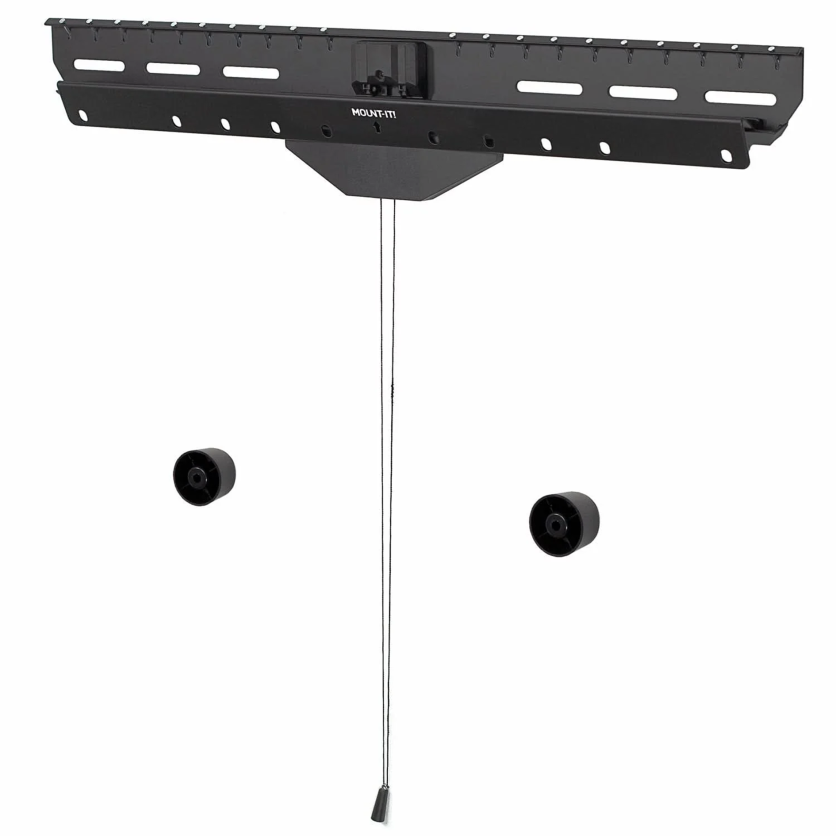
For renters or anyone who wants to minimize wall damage, a dedicated studless TV mount works differently from standard bracket hardware. Rather than drilling large holes for bolts, it uses small nails and hanging straps to spread the TV's weight across the wall, closer to how a heavy picture frame is hung.
Mount-It!
This type of mount only works reliably as a fixed install. No arm extension, no swivel. That's not a limitation of the product so much as it's a reflection of the physics involved. Fixed placement eliminates the lever force that makes drywall-only installs risky with articulating mounts.
For a full walkthrough of the process, tools, and common pitfalls, Mount-It!'s guide on mounting a TV on drywall without studs covers the complete approach in detail.
When the Wall Isn't Ready: Knowing Your Limits
Some situations call for more than better anchors. Recognizing them early prevents an install that looks fine on day one and fails later. These are the clear signals to stop and reassess before proceeding:
- Drywall that's cracked, soft, or has visible water damage won't hold anchors reliably
- TVs over 100 lbs require stud anchoring or a professionally installed backer system
- Full-motion mounts on unreinforced drywall carry a real failure risk due to lever force, regardless of anchor rating
- Walls that sound unusually hollow may have gaps or unexpected materials behind them
- Adhesive-only mounting is only appropriate for very lightweight displays and is not a substitute for a proper wall mount
These aren't rare edge cases. They come up regularly, and pushing past them is how installs fail.
The Short Version
TV mounting on drywall works well when you match the hardware to the actual conditions of your wall. Know your wall, choose anchors that suit your mount type and TV weight, and respect the real load limits. That approach produces an installation that holds safely over time.
If you're still working out which setup fits your situation, Mount-It! TV mounts include options across fixed, tilt, and full-motion styles with clear specs to help you match the right hardware to your wall and screen.

-
 C114 Communication Network
 -
 Communication Home
