
 Search

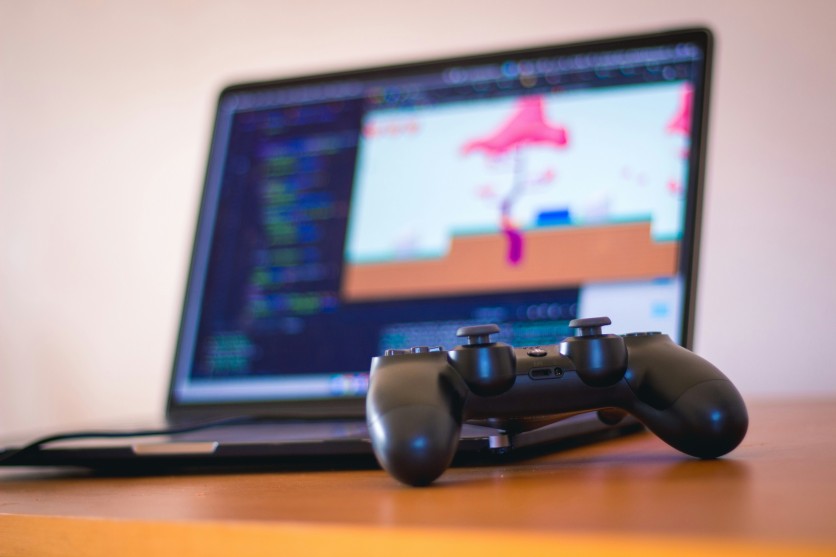
orva studio/Unsplash
Gaming laptops are engineering marvels packing desktop-grade GPUs and CPUs into compact, high-heat chassis. Without proper care, heat, dust, and battery mismanagement can degrade performance rapidly, leading to costly repairs or shortened device life. Gaming laptop maintenance ensures peak performance, reduces fan noise, and preserves battery health for years.
Extend laptop lifespan by implementing structured cleaning, thermal optimization, and smart charging habits. Gaming laptop cooling prevents thermal runaway that kills components prematurely, while battery health tip strategies maintain capacity over 1,000 cycles. Players who combine physical care, software monitoring, and correct handling maximize ROI and enjoy consistent gaming experiences across the device's lifecycle.
Gaming Laptop Cooling Through Regular Maintenance
Effective gaming laptop cooling relies on consistent maintenance and smart usage habits to prevent thermal throttling and extend hardware life. Even small dust buildups or poor airflow can spike temperatures quickly, reducing GPU and CPU performance. Combining routine cleaning with software control ensures laptops remain cool under intense gaming sessions.
- Clean vents monthly: Compressed air blasts remove 90% of dust; even 2mm of debris can cut airflow 70%, causing throttling at 95°C during high-demand gaming.
- Elevate the laptop: Raising the rear 1–2 inches with risers instantly improves airflow by about 30%.
- Cap GPU temperature: Tools like MSI Afterburner allow undervolting and fan curve adjustments, reducing peaks by 15°C for silent operation with minimal FPS loss.
- Undervolt the CPU: ThrottleStop or similar utilities drop CPU temperatures 10–15°C without stability loss, particularly beneficial for Intel 13th gen chips.
- Replace thermal pads and paste: Factory pads harden after 24 months; MX-6 or TFX paste reduces temperatures 10–22°C versus stock compounds.
- Angle the lid: A slight tilt prevents hot air recirculation and reduces keyboard heat exposure.
Gaming laptop maintenance prioritizes airflow and thermal management, protecting VRMs, GPUs, and CPUs from long-term damage while sustaining optimal performance.
Extend Laptop Lifespan Through Dust and Paste Management
Dust accumulation and hardened thermal paste accelerate wear on cores, memory, and heatpipes, shortening a laptop's usable life. Regular upkeep prevents overheating, component degradation, and unplanned repairs. Combining mechanical cleaning with firmware updates and proper storage practices ensures the laptop remains reliable for years.
- Semiannual repasting: Replace dried thermal compound every 12–18 months to prevent abrasive effects on dies.
- Heatpipe inspection: Realign or replace bent heatpipes; damaged fins reduce thermal transfer efficiency.
- Keyboard and vent cleaning: Quarterly isopropyl wipes clear oils and particles conducting shorts across membranes.
- Firmware updates: SSD firmware updates prevent write amplification, maintaining NAND lifespan.
- Proper cooling pads: Fans matching 140mm extract 25 CFM efficiently without drawing dust deeper into the chassis.
- Angle storage: Sleeping laptops 30° nose-up prevents liquid pooling and protects circuits.
These practices extend laptop lifespan, reduce overheating, and maintain peak gaming performance over several years.
Read more: Internet Stability Tips to Reduce Lag: Home Network Optimization for Smoother Gaming and Video Calls
Battery Health Tip Practices for Long-Term Performance
Battery health is a critical factor in gaming laptop maintenance, as lithium-ion cells degrade faster under heat and improper charging. Managing charging cycles, avoiding high temperatures, and periodic calibration prolongs runtime and reduces early replacement costs. These strategies integrate seamlessly with thermal and hardware maintenance routines.
- Charge within 20–80% range: Prevents lithium plating that reduces capacity significantly if constantly stored at 100%.
- Quarterly calibration cycles: Full discharge and recharge reset fuel gauge drifts for accurate reporting.
- BIOS charge limits: Enabling 60–80% caps preserves ~90% capacity after 1,000 cycles.
- Avoid heat during charging: Undervolt charging circuits and avoid prolonged gaming above 80°C.
- Hibernate instead of sleep: Fans shut down fully, preventing 5W idle drain that corrodes electrolytes.
- Replace swollen cells immediately: Domed batteries indicate gas buildup, which risks chassis damage.
Following these battery health tips ensures your gaming laptop remains reliable for both daily use and long gaming sessions.
Software Optimization and Physical Handling
Preserving gaming laptop hardware requires smart software use combined with careful physical handling. CPU and GPU spikes, registry bloat, and incorrect refresh settings can accelerate component wear. Routine attention to these factors maintains both performance and longevity.
ThrottleStop profiles and similar utilities prevent instantaneous 105°C CPU/GPU spikes, reducing thermal stress by up to 15°C. Tools like HWInfo and MSI Afterburner monitor temperatures and fan curves, alerting users to thermal paste degradation or airflow issues before serious damage occurs. Annual fresh Windows installs reduce registry bloat, while CCleaner removes RAM leaks caused by overlay conflicts. Managing display settings with VSync and frame caps cuts power draw by 25% without introducing screen tearing.
Physical handling also plays a key role. Carry laptops hinge-down in padded sleeves, tighten screws carefully to avoid stripped threads, and avoid applying heavy palm pressure to trackpads. Rubber dome replacements restore keyboard tactile feedback, while gentle pressure on glass trackpads prevents cracks. Combined, software optimization and careful handling protect the chassis, motherboard, and input devices, preserving both performance and reliability for years of use.
Monitoring Tools to Catch Degradation Early
Proactive monitoring is essential to identify performance drops before they cause permanent damage. Using specialized software and built-in logging tools lets you intervene early, protecting both hardware and battery. By tracking thermal and electrical patterns, gamers can maintain stable performance over time.
- Frametime monitoring: MSI Afterburner identifies thermal throttling before average FPS drops.
- Temperature alerts: Core Temp notifies at 90°C, allowing immediate intervention.
- Vacuum tests: Detect intake blockage to schedule cleaning before heat spikes occur.
- SSD health tracking: CrystalDiskInfo flags falling below 95%, prompting migration to secondary drives.
- Battery and VRM logging: HWMonitor and ThrottleStop reveal voltage droops or capacity fade months before failure.
Monitoring tools complement gaming laptop maintenance, ensuring small problems don't evolve into costly repairs.
Maximizing Gaming Laptop Lifespan: Best Practices Summary
Consistent attention to thermal management, dust control, battery health, software optimization, and careful handling transforms a high-performance gaming laptop into a long-term investment. Regular vent cleaning, semiannual repasting, undervolting, and charge cycling preserve key components while monitoring tools provide early alerts to prevent irreversible damage. Combined with careful transport and mindful gaming habits, these gaming laptop maintenance strategies ensure stable performance and reliability for five years or more.
Frequently Asked Questions
1. How often should I clean my gaming laptop vents?
For heavy gaming use, vent cleaning should be done monthly using compressed air to remove dust buildup. Even a thin layer of dust can reduce airflow significantly and spike temperatures. Cleaning prevents fans from running at full speed constantly, reducing noise and thermal stress.
2. When should I repaste the CPU and GPU?
Thermal paste should be replaced approximately every 12–18 months, depending on usage and temperatures. Dried paste can increase temperatures by 15–25°C, causing throttling and accelerated wear. High-performance paste like MX-6 or Noctua NT-H2 ensures efficient heat transfer without risk of shorting.
3. How can I protect my gaming laptop battery long-term?
Maintaining a 20–80% charge window prevents lithium plating and extends battery cycles. Quarterly full discharge/charge cycles recalibrate the battery's fuel gauge for accurate reporting. Avoid leaving the laptop plugged in at 100% for prolonged periods, especially during gaming, to reduce heat-induced degradation.
4. Does undervolting affect gaming performance?
When done correctly using tools like ThrottleStop or Ryzen Controller, undervolting does not reduce FPS. It lowers CPU and GPU temperatures by 10–20°C, preventing thermal throttling and extending component lifespan. Undervolting reduces fan noise and energy consumption, creating a quieter, more stable system.
Read more: CES 2026: LEGO Smart Bricks Bring Interactive Experiences Under Smart Play Platform

-
 C114 Communication Network
 -
 Communication Home
