
 Search

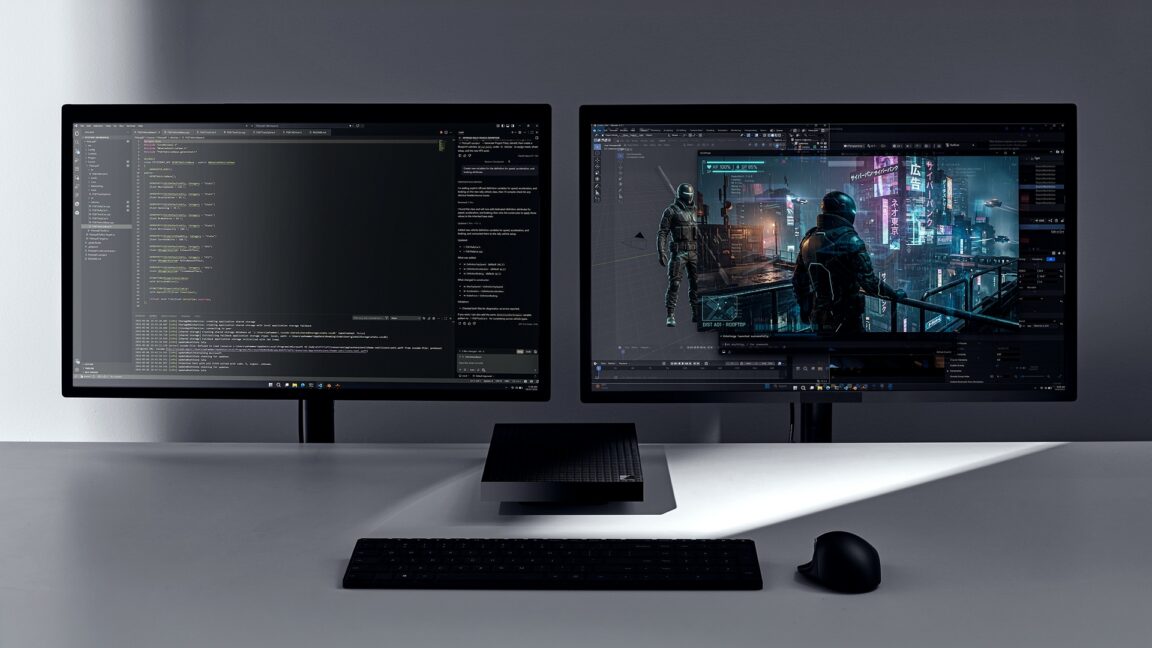
Credit: Microsoft
Microsoft’s Build developer conference kicked off today, and as with almost everything the company has done in the last few years, Microsoft’s opening keynote focused overwhelmingly on AI and other closely related technologies. There’s Microsoft Scout, an OpenClaw-based “Autopilot” agent that can hook into Microsoft 365 data to perform tasks for users; several new AI models; an expanded preview of “Codename MDASH,” which is a “multi-model agentic scanning system” meant to detect and fix software vulnerabilities.
A few of those announcements stood out to us as particularly interesting, either for esoteric technical reasons or because they seem like they may have some utility for those who aren’t spending their every waking moment using generative AI tools. (Microsoft’s recent efforts to make its flagship operating system faster, more reliable, more useful, and less annoying didn’t really come up, but there have been plenty of other announcements on that front lately.)
On the hardware front, we didn’t get any updates for existing Surface devices (not counting yesterday’s Surface Laptop Ultra announcement), but we did get something new: the Surface RTX Spark Dev Box is “a compact developer PC” built around Nvidia’s new RTX Spark chip with up to 128GB of built-in memory.
The Dev Box looks a little like a cartoon anvil or piano fell onto an Xbox Series X and flattened it. Its aluminum casing was designed “to double as a heatsink,” and its preloaded version of Windows 11 Pro will include a “purposeful” set of developer-centric default settings and preinstalled tools.
This is a follow-up of sorts to the Windows Dev Kit 2023, also known as “Project Volterra.” This Qualcomm Snapdragon 8cx Gen 3-powered PC was essentially the system board from a Surface Pro tablet stuffed into a plastic box, and it was introduced alongside Arm-native versions of several Microsoft developer tools. It helped to set the stage for the Arm-based flagship Surface devices that launched the next year, which benefitted from a better and faster x86-to-Arm code translation technology called Prism and a greater number of Arm-native third-party apps that didn’t need to be translated in the first place.
Microsoft didn’t announce pricing or specific specs for the RTX Spark Dev Box, but you can probably expect it to cost quite a bit more than the $600 that Project Volterra did. Hopefully, Microsoft can keep the price at least somewhat lower than the $4,699 asking price for Nvidia’s similarly specced DGX Spark box.
Linux tools and AI guardrails
On the software side, several developer-centric changes are coming to Windows 11, particularly for users of the Windows Subsystem for Linux (WSL). Microsoft is introducing a Windows-native version of the coreutils command line tools, so that commands or scripts made for Linux work within Windows and the other way around; the ability to run WSL inside of containers, said to be arriving in “the coming months”; and something called Windows Developer Configurations that uses the WinGet tool to quickly set up “a distraction-free dev environment with VS Code, GitHub Copilot, WSL, PowerShell 7 and developer-optimized settings with one command on any Windows 11 device.”
Finally, for people who are curious about AI agents like OpenClaw but nervous about giving them free rein on your system (and access to all of your personal data), Microsoft is introducing Microsoft Execution Containers (MXC). These are “enterprise-grade sandboxed environments” for AI agents like OpenClaw on Windows. Specific agents can be given specific instructions, and Windows will continuously enforce those restrictions. In theory, this could be used to prevent OpenClaw from accessing personal accounts on a work computer, or vice versa, or from deleting things without asking.
The GitHub repo for MXC also mentions that it provides “multiple containment backends” that can be used to contain other kinds of plugins and tools. So if the concept sounds interesting to you but you don’t care about AI agents, they could still be worth learning about.

-
 C114 Communication Network
 -
 Communication Home
