
 Search

DVD collections used to feel permanent. You bought a movie once, placed it on the shelf, and expected it to work forever. But a lot of people are now discovering the opposite. Discs get scratched. DVD players stop working. New laptops don't even include optical drives anymore. And when older DVDs are played on a modern 4K TV, the picture quality often looks far worse than people remember.
For families holding onto wedding videos, home recordings, concert DVDs, or entire movie libraries, the bigger concern is preservation. Physical media ages quietly. One damaged disc can mean losing content that may never be replaced again. Converting DVDs into digital files helps store safely, stream anywhere, and watch across phones, tablets, laptops, and smart TVs without depending on outdated hardware.
WinX DVD Ripper Platinum
Why More Users Are Digitizing DVD Collections
Physical DVDs were designed for a different era of technology. Years ago, watching movies meant sitting in front of a television with a DVD player connected underneath. Today, most people expect their content to move seamlessly between phones, tablets, laptops, media servers, and smart TVs.
Digital files make that possible.
Once a DVD is converted into MP4 format, it becomes much easier to store, organize, and watch anywhere. Users can back up their movie collections to external drives, stream content through Plex, transfer movies to tablets for travel, or archive important family recordings safely in cloud storage.
For many households, digitizing DVDs is no longer just about convenience. It's becoming a practical form of media preservation.
A Simple Solution to Convert DVDs to Digital
WinX DVD Ripper Platinum has become a popular option for anyone looking for a faster and easier way to convert DVDs speedily without dealing with complicated settings.
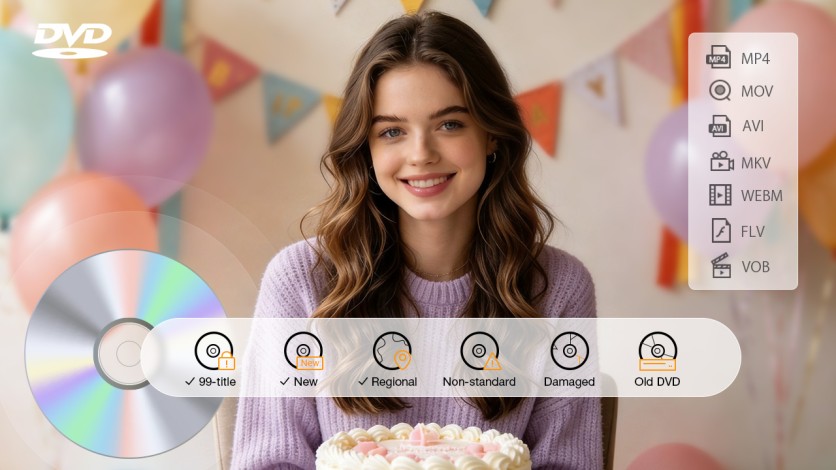
Many older DVD collections contain scratched discs, damaged sectors, regional locks, or complicated copy-protection structures that can create problems during ripping. WinX DVD Ripper Platinum is designed to handle a wide range of these issues more smoothly, including newer protected DVDs and difficult 99-title discs that often confuse standard ripping tools.
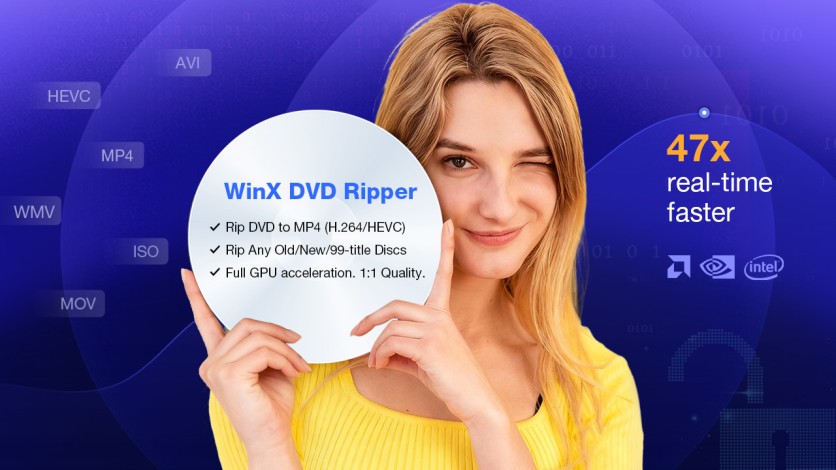
The DVD ripper also supports GPU acceleration through NVIDIA, Intel, and AMD hardware, helping reduce conversion times significantly. Speed improvement becomes especially useful when processing multiple full-length movies.
WinX DVD Ripper Platinum
WinX DVD Ripper Platinum is marking its 20th anniversary with a limited-time offer, bringing its lifetime license down to $34.95 (47% OFF). There's also a free download available, so you can try it out and start backing up or converting your DVD collection at your own pace.
Download the Free Trial and Unlock the 20th Anniversary 47% OFF Lifetime Offer Today >>
Features That Actually Matter for DVD Owners
What makes WinX DVD Ripper Platinum appealing is that its feature set feels built around real-world problems people run into with aging DVDs, as well as new releases.
- Convert DVDs to MP4, MOV, AVI, HEVC, and other digital formats.
- Better compatibility with protected commercial DVDs.
- Read scratched or aging discs more reliably than typical free tools.
- Support full 1:1 backups with subtitles and audio tracks preserved.
- Faster processing through GPU acceleration.
- Device-ready presets for PC, phones, tablets, TVs, and game consoles.
- Beginner-friendly workflow without overwhelming menus.
How to Rip and Digitize DVDs in a Few Steps
Instead of overwhelming beginners with technical menus or codec configurations, WinX DVD Ripper Platinum keeps the DVD digitization workflow simple.
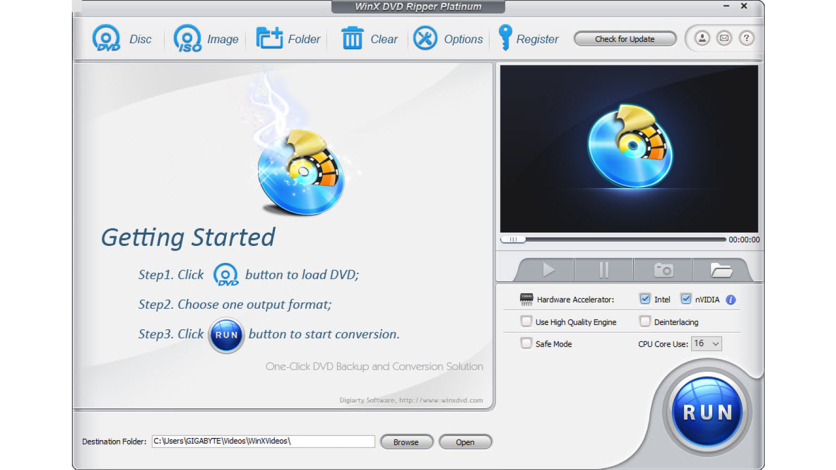
Step 1. Insert the DVD disc, open WinX DVD Ripper Platinum, click the DVD disc icon, and the program will scan and load the disc automatically.
WinX DVD Ripper Platinum
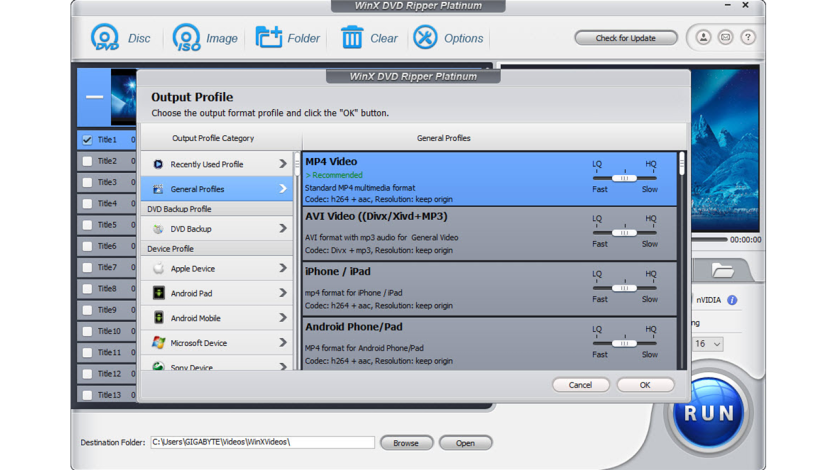
Step 2. Choose MP4 H.264 or another preferred digital format for playback on phones, TVs, tablets, or laptops.
WinX DVD Ripper Platinum
Step 3. The main movie title can be detected automatically, adjust subtitle or audio options if needed.
Step 4. Click the RUN button to start the DVD ripping process. When it finishes, the DVD is saved as a digital video file ready for playback, backup, or streaming across modern devices.
Want Better Quality? Convert DVDs to 1080p/4K with AI
Even after ripping DVDs successfully, another issue becomes obvious: older DVDs simply don't look great on large modern screens. The problem comes from the resolution. Most DVDs were created at 480p, a format designed for older televisions from a completely different era. The result is familiar to anyone who has tried watching an old DVD recently, such as blurry textures, motion artifacts, visible noise, washed-out detail, etc.
Classic movies, anime collections, concert recordings, and family footage often appear cleaner and more watchable after enhancement, especially when viewed on modern OLED or large-format displays.
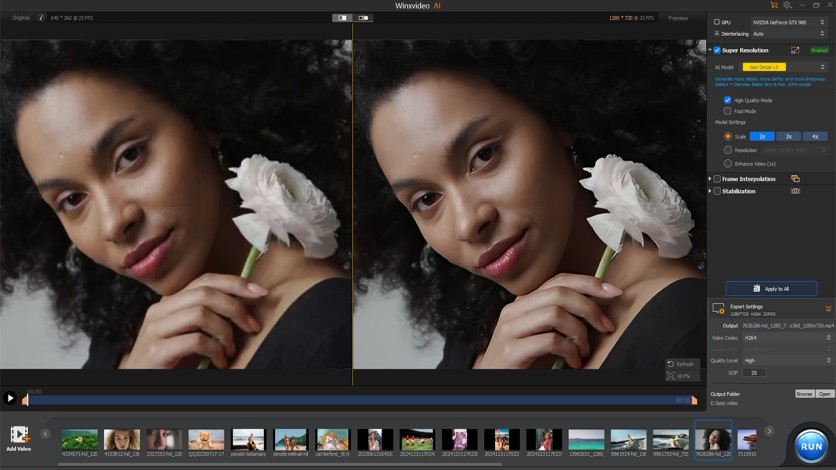
Winxvideo AI upcales lower-resolution movies on DVD for high-resolution displays. Instead of simply enlarging the image like traditional upscaling, the 4K video converter uses AI models trained to rebuild missing detail frame by frame. The goal is to reduce blur, clean up noise, and restore sharper textures while increasing the resolution to 1080p or even 4K.
The process is also fairly approachable for non-technical DVD collectors.
Step 1. Open Winxvideo AI, click Video AI, and import the MP4 file created from your DVD.
Step 2. Choose an output resolution like 1080p or 4K, then start the AI enhancement process.
WinX DVD Ripper Platinum
Step 3. Once processing is finished, the upgraded video is ready for smoother playback on larger TVs, monitors, and home media setups.
Digitize DVDs Before It's Too Late
DVDs usually don't fail all at once—they slowly become harder to play as discs get scratched, drives disappear from new laptops, and compatibility shifts toward digital formats. For most users, digitizing a DVD collection is simply a great way to keep movies and personal videos accessible across phones, TVs, and modern devices without relying on aging hardware.

WinX DVD Ripper Platinum
Marking 20 years in the industry, WinXDVD has earned the trust of over 86 million users worldwide. More than just an anniversary milestone, it reflects the brand's long-standing commitment to helping users preserve and digitize DVD collections and bring old memories to life with AI enhancement. Users can now download the free trial or take advantage of the limited-time 47% OFF Lifetime License Offer while their original discs are still in good condition.

-
 C114 Communication Network
 -
 Communication Home
