
 Search

I downloaded DeskIn seven days ago after struggling with laggy connections and poor image quality on my previous remote desktop solution. As someone who frequently works from different locations and needs to access my office workstation for design projects, I needed something that could handle high-resolution work without frustrating delays or color accuracy issues.
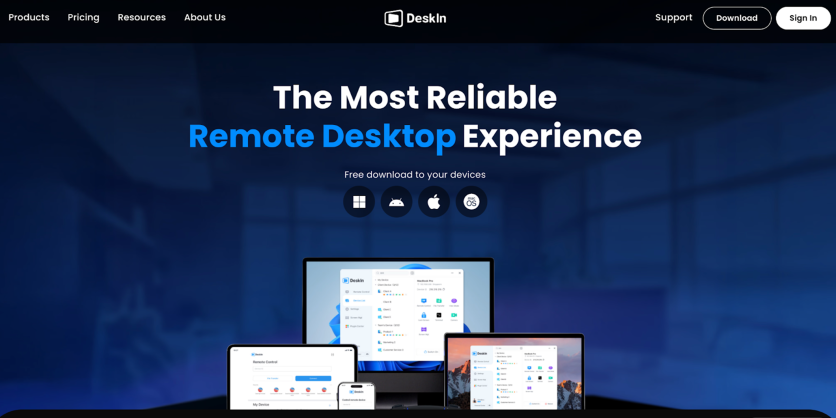
After reading about DeskIn's claims of sub-40ms latency and 4K support, I decided to put it through daily use across multiple devices. This review covers actual performance, not marketing claims. Here's what works, what stands out, and whether it's worth your time.
DeskIn
Setup Experience: From Download to First Connection
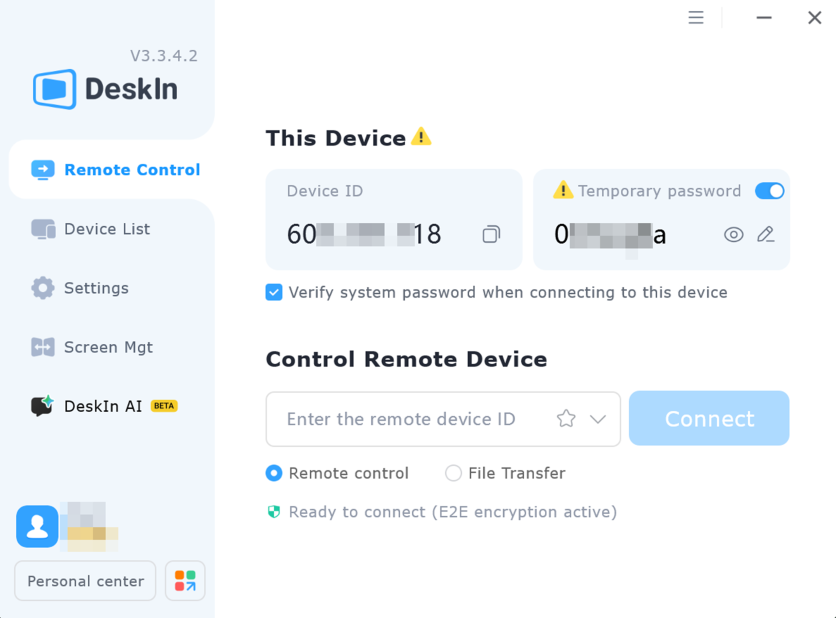
The DeskIn installation finished in under three minutes on my Windows machine. No complicated setup screens or confusing options. Just download, install, Done.
The interface opened to a straightforward dashboard showing device management, connection options, and settings. Everything made sense without hunting through menus. My free account allowed three device connections, which I used for a work PC, home laptop, and Android phone.
DeskIn
Connection Performance: Speed and Visual Clarity
My first remote connection took about 1–2 seconds from clicking to viewing the desktop. DeskIn runs on RTC technology with over 200 data centers globally. The technical details matter less than the result, which is consistently fast connections.
Key Performance Metrics:
- Connection Speed: 1–2 seconds from click to desktop view
- Latency: Consistently below 40ms throughout testing
- Visual Quality: Up to 4K 60 FPS and 2K 240 FPS support
- Color Accuracy: 4:4:4 true color mode for sharp text and accurate colors
- Real-World Performance: Zero lag when opening applications, dragging files, typing in documents
- Cursor Responsiveness: No visible delay; cursor follows movements instantly
Visual quality exceeded expectations. The 4:4:4 true color mode means sharp text and accurate colors, no eye strain from fuzzy displays or washed-out colors during extended work sessions.
Core Functionality: Features That Actually Matter
Real-world testing revealed which features deliver practical value versus those that just fill a features list. Some capabilities impressed more than others.
File Transfer Capabilities
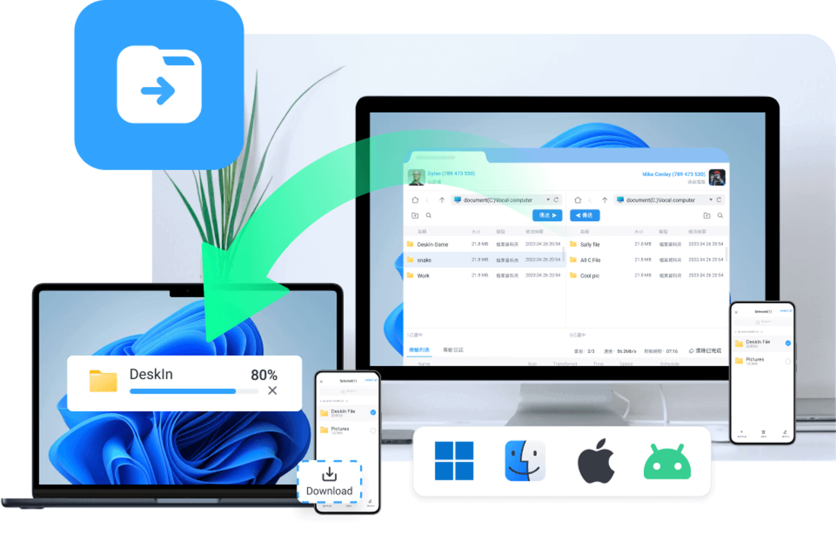
Transferring a 2GB video file between my work computer and home laptop took just under 3 minutes at approximately 12MB/s. The file arrived intact without compression or data loss.
Key advantages of DeskIn's file transfer system:
- Zero file size restrictions. Large video projects and data sets move without splitting or compressing.
- Cross-platform compatibility. Windows to Android file transfers work seamlessly without format issues.
- Simple drag-and-drop interface that functions like local file management.
- No format limitations. Documents, videos, images, and compressed files all transfer reliably.
DeskIn
Screen Management Tools
DeskIn's screen management capabilities:
- Screen Extension – Converted my iPad into a functional second monitor, adding workspace without purchasing additional hardware; virtual extended screens provide similar benefits
- Privacy Screen Mode – Blanks your host computer's display during remote sessions; only your remote connection shows the actual screen content (testing this at a public workspace confirmed nobody could view my work by looking at the host machine)
- Screen Mirroring – Displays one device's screen on another; useful for presentations or viewing mobile content on larger displays
- One-to-Many Mirroring – Supports one PC mirroring to several devices simultaneously; if you have multiple devices, this provides flexible one-to-many screen mirroring for presentations or monitoring

DeskIn
Remote Android Control
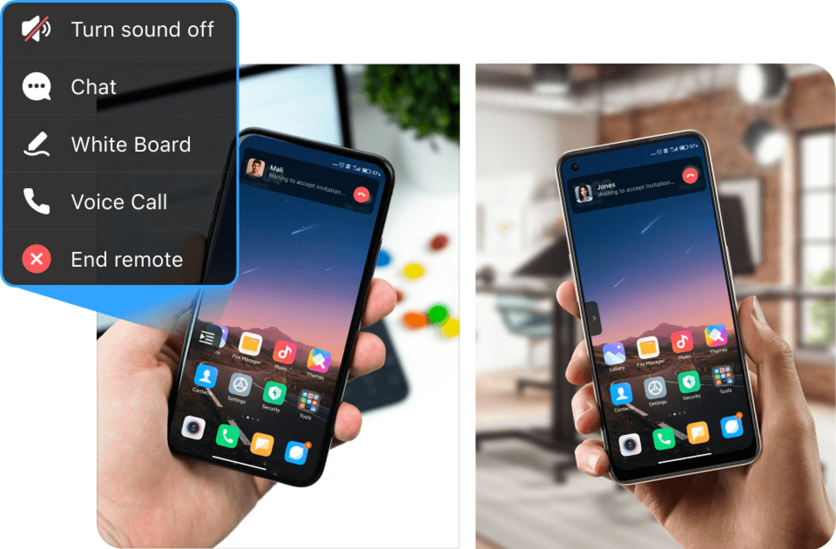
Controlling Android devices remotely worked better than anticipated. I helped troubleshoot app problems on my mom's phone without being there physically. The controls responded immediately with clear visibility on my larger screen. No rooting required means no warranty issues or security vulnerabilities.
DeskIn
Security Measures: Protection That Functions
Remote access security determines whether the software is usable for sensitive work. DeskIn's security implementation includes:
Core Security Features:
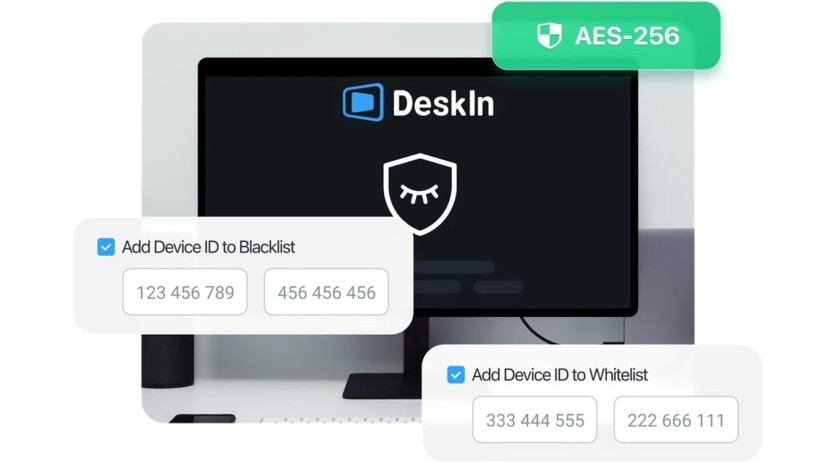
- Bank-Grade AES-256 Encryption – All connections protected with encryption matching security standards used by financial institutions and government systems
- ISO 27001 and ISO 9001 Certifications – Verified compliance with international security and quality standards
- Two-Factor Authentication (2FA) – Blocks unauthorized access even with password compromise
- IP Whitelisting – Prevents connections from unapproved locations; testing this by attempting a connection from a non-whitelisted network resulted in immediate blocking
- Privacy Screen Functionality – Your remote computer's physical display shows nothing while you work through the remote connection; anyone near that computer sees only a black screen
DeskIn
Premium Tools: Beyond Basic Remote Access
DeskIn includes several premium features that reduce the need for multiple applications during remote sessions. These tools integrate smoothly into the workflow.
Enhanced Collaboration and Productivity Features:
- Built-in Audio Calling – Eliminated the need for separate video conferencing software during collaborative work; a colleague and I discussed project details while simultaneously working on shared documents
- Text Chat – Provides quick communication without switching applications; useful for sharing links, notes, or brief instructions during remote sessions
- Interactive Whiteboard – Helped explain technical concepts visually during a remote training session; more effective than attempting verbal descriptions of complex visual information
- Wake-on-LAN Functionality – Powers on remote computers before connecting, enabling access even when machines are powered down
- Remote Printing – Sent documents to my office printer while working from home, maintaining productivity across locations
Practical Application Testing: Real Work Scenarios
Testing across different use cases reveals how software performs under varied conditions. DeskIn handled multiple scenarios effectively.
Standard Remote Work
A two-hour session working on spreadsheets and documents from a coffee shop felt identical to sitting at my office desk. Stable connections and quick response times made the remote nature nearly invisible. File access, application switching, and document editing all functioned normally.

DeskIn
Design and Creative Work
The 4:4:4 true color mode preserves the color accuracy needed for photo editing and graphic design. Digital drawing tablet support allows designers to use their standard tools remotely. High frame rates maintained smooth performance during detailed editing work.

DeskIn
Gaming Performance
DeskIn gaming mode includes customizable keyboard and mouse configurations, 3D perspective, and external gaming controller support. The customizable preset key combination is an outstanding feature that allows you to play PC games on mobile. Casual gaming produced smooth performance with almost zero lag. Serious competitive gaming might notice temporary latency, but standard play worked fine.

DeskIn
Cross-Platform Functionality
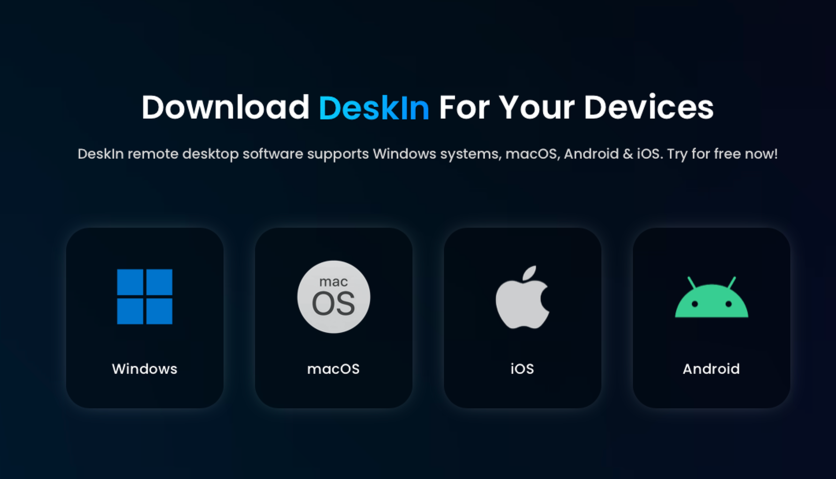
DeskIn operates across Windows, macOS, iOS, and Android platforms. Testing various device combinations showed consistent functionality regardless of operating system pairing.
DeskIn
Mobile control proved surprisingly effective. Accessing my Windows PC from an iPhone worked smoothly with touch controls adapting naturally to mobile interfaces. File navigation, application launching, and task completion happened without frustrating control issues.
The Android app matched desktop performance with identical features, speeds, and reliability.
Pricing Structure: Understanding Your Options
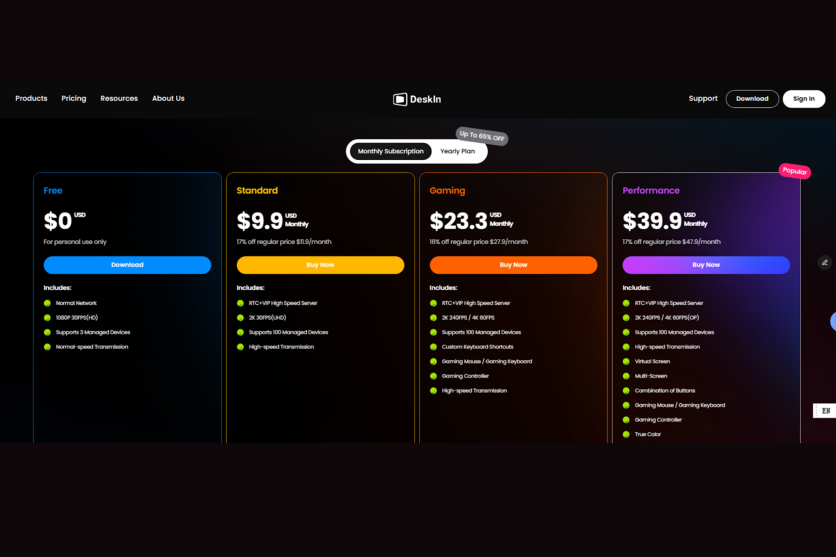
Different DeskIn pricing tiers target specific user needs. Choosing the right level depends on your usage patterns and requirements.
DeskIn
The free edition provides solid functionality for students or occasional users. Three device connections cover basic personal needs while letting you test all core features.
Paid editions expand capabilities:
- Standard Edition serves regular remote workers needing high image quality and smooth performance.
- Gaming Edition targets gamers, streamers, and game developers requiring specific gaming features and low latency.
- Performance Edition addresses designers, editors, support staff, and engineers needing maximum quality and professional capabilities.
- Enterprise Edition provides management features and customized services for business teams.
Paid subscriptions support up to 100 device connections versus three for free accounts. Significant for managing multiple computers or providing technical support to several people.
Pros & Cons
Pros
- Exceptionally fast connection times (1–2 seconds)
- Consistently low latency (below 40ms) for responsive remote control
- Excellent visual quality with 4K support and true color accuracy
- No file size restrictions for transfers
- Strong security features including AES-256 encryption and 2FA
- Privacy screen mode protects sensitive remote PC screen in public spaces
- Cross-platform compatibility works seamlessly across Windows, Mac, iOS, and Android
- Remote Android control without rooting
- Generous free tier with three device connections, included (audio calling, whiteboard, wake-on-LAN, screen extension/ mirroring, etc.)
- Premium features included (virtual screen, mobile file transfer, remote terminal, external gaming controller, external digital drawing board, etc.)
Cons
- Competitive gaming may experience occasional latency
- Do not support Linux
- Learning curve for advanced gaming features (customizable controls require setup)
Week-Long Testing Conclusion
DeskIn delivers reliable performance across its feature set. Connections remain fast and stable during extended sessions. Visual quality maintains sharpness throughout long work periods. Security features function as intended rather than existing only on specification sheets.
The software balances simplicity with capability. Basic remote access works immediately, while advanced features remain accessible when needed. Whether providing technical support, working remotely, or managing devices across locations, DeskIn handles these scenarios without unnecessary complexity.
After a week of daily use across multiple scenarios, DeskIn proved itself as a capable remote desktop solution that delivers on its performance promises. The combination of speed, visual quality, and security makes it worth considering for anyone needing reliable remote access.
Ready to test it yourself? Remember to use code "techtimes" for 50% off the one-month plan or 20% off annual plans at deskin.io.

-
 C114 Communication Network
 -
 Communication Home
