
 Search

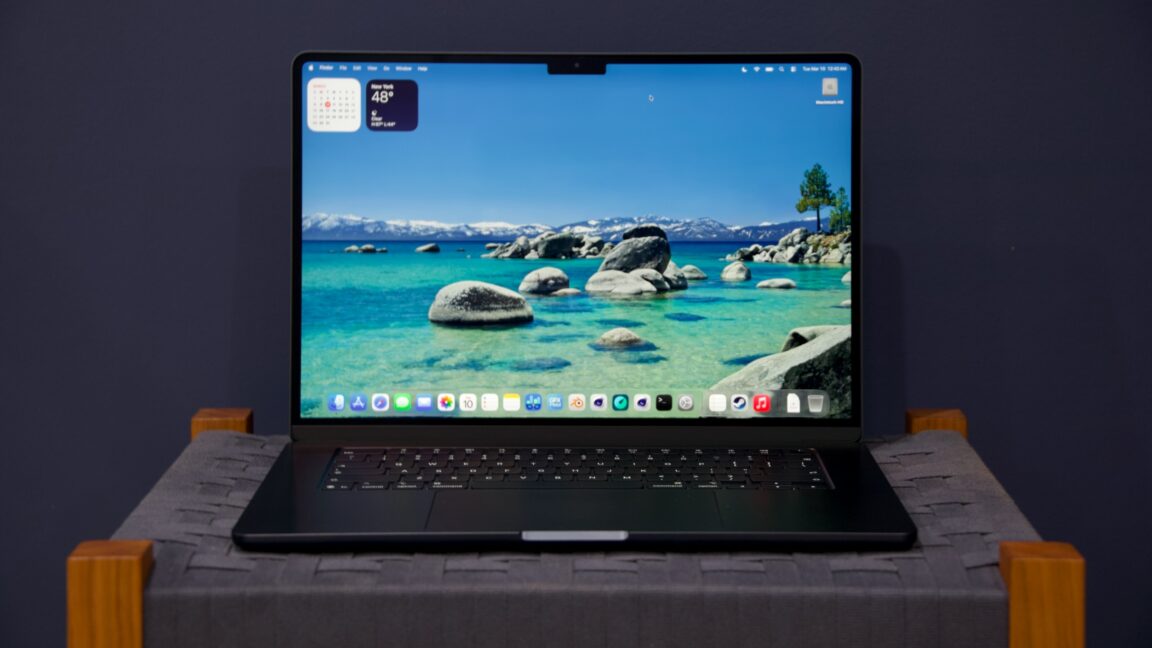
Credit: Andrew Cunningham
The M5 Pro and M5 Max in the new MacBook Pros are interesting not because they deliver a solid speed increase for Apple’s fastest laptop processors but because they also include substantial under-the-hood changes. And the MacBook Neo is interesting because, while the hardware has limits, it’s quite a capable and high-quality computer for its $599 starting price.
And then there’s the M5 MacBook Air, which was also released this week.
Apple sent us a 16-inch M5 Max MacBook Pro, the MacBook Neo, and a 15-inch MacBook Air to test, and the MacBook Air was the only one without a standard review embargo. As if to say, “we know the other stuff is more interesting—if you want to cover the Air, get to it when you can.”
So here we are.
Still the MacBook for most people
Last year’s M4 MacBook Air was pretty near the Platonic ideal of the $999 laptop that Apple has been refining since the introduction of the first $999 iBooks in the early 2000s. The Apple Silicon iteration of the Air has always been a solid, mass-market machine, but the M4 version was the rare iteration that didn’t feel like it needed one or two $200 upgrades to be useful and future-proofed.
The M5 Air brings good news and bad news on that front, depending on your perspective. The 13-inch M5 Air starts at $1,099, $100 more than before, and there’s no Air at $999 anymore. Both the M1 and M2 Airs stuck around for a while in that spot after being replaced—not so for the M4 Air. The 15-inch Air starts $200 higher at $1,299, though it at least guarantees you the 10-core version of the M5 GPU rather than the 8-core version in the $1,099 13-inch Air.
But the M5 Air also comes with 512GB of storage rather than 256GB, previously a $200 upgrade. In an ideal world, I’d prefer to keep the $999 version and see Apple lower the price of its storage upgrades. But I suppose it’s basically a wash, especially now that the Air sits upmarket of another product rather than being the entry-level option.
That’s honestly the most striking thing about the MacBook Air right now—that it has slowly amassed so many power user features over the last five years that there’s now room underneath it for a less-capable-but-sufficiently-Mac-like thing.
It can get lost in a typical review that compares the current-generation product to the immediately preceding generation of the same product, but here’s a stab at a list of every change that Apple has made to the MacBook Air between the original late-2020 M1 version and now that has given buyers one less reason to look at a MacBook Pro:
- Four generational processor upgrades that have added two more high-efficiency CPU cores, two more GPU cores, and other improvements that have collectively roughly doubled the M1’s performance (slightly less-than-double for single-core CPU performance, slightly more-than-double for graphics performance).
- One full redesign (M2), which slightly increased the 13-inch Air’s screen size, resolution, and maximum brightness. It also reintroduced MagSafe, enabling charging without taking up one of the Thunderbolt ports.
- The introduction of a 15-inch model (M2 mid-generation refresh), offering a larger screen to people who didn’t want to pay for the extra performance or frills of a MacBook Pro.
- An increase in base RAM from 8GB to 16GB (M2/M3 mid-generation refresh).
- Two increases in maximum RAM, first to 24GB (M2) and then to 32GB (M4 and later).
- Base storage increased from 256GB to 512GB (M5).
- Maximum storage increased from 2TB to 4TB (M5).
- Improvements in external display support. The Air went from supporting one external 6K 60 Hz display to two external displays (one 6K 60 Hz, one 5K 60 Hz) when the lid was closed (M3) and to two external displays (both 6K 60 Hz) with the lid open and the built-in screen turned on (M4 and later).
- One ProRes video encoding and decoding engine (M2).
The MacBook Pro does retain some key functional advantages over the Air. All Pro models have more ports, including native HDMI and SD card readers. They get somewhat larger, considerably nicer displays, with high-refresh-rate ProMotion and HDR support, a much higher maximum brightness, and a matte nano-texture display option. Even setting the M5 Pro and M5 Max aside, the basic M5 version can be quite a bit faster than the M5 Air for some workloads because it has a fan to keep it cool. Storage can go as high as 8TB, and RAM can go as high as 128GB.
But what these things have in common is that they’re well above and beyond what most people, even many creative and technical professionals, are asking from their laptops. These days, the main reason to go with a MacBook Pro is that you affirmatively want one or more of those extra things. There are fewer reasons to be unwillingly upsold to a Pro because of one or two make-or-break features missing from the Air.
It’s also mostly pretty easy to describe the kind of user each MacBook is for, which is a huge improvement from the Mac’s mid-2010s nadir, when the aging non-Retina Air, the nice-but-underpowered 12-inch MacBook, and the too-expensive 13-inch MacBook Pro were all fighting over the same $1,000-to-$1,500-ish price band and all came with frustrating tradeoffs and compromises.
Performance: Twice as fast as M1, mostly
The Apple Silicon era gave Apple’s baseline Macs a huge performance boost compared to the low-voltage Intel processors of MacBooks past. That performance also came with dramatically extended battery life. As long as you were running Apple Silicon or universal binaries rather than relying on Rosetta’s app translation, upgrading from an Intel Mac has always been pretty much all upside.
The upgrades since then have been strictly incremental, considered year-over-year. Each new generation of chip has brought some kind of low-double-digit performance improvement over the prior generation, never enough to merit an upgrade all by itself. But they’ve stacked on top of each other year after year, and we’ve arrived at a point where the M5 Air is finally just about twice as fast as the M1 version.
This is most consistently true in multi-core CPU tests and GPU tests, where architectural improvements have also been accompanied by a couple of extra cores. In many of our GPU-based tests, the M5 is also more than twice as fast as the M1. The improvement you see will vary from game to game or app to app, but it’s a substantial upgrade regardless.
In single-core CPU tests, the M5 is usually between 65 and 80 percent faster than the M1. A fair amount of that is coming from a 44 percent increase in peak CPU clock speed, from 3.2 GHz in the M1 to roughly 4.6 GHz for one of the M5’s super (née performance) cores.
Compared to the M4 version of the Air, the M5 iteration is a fairly typical generational upgrade. Single-core CPU performance increases by 10 or 15 percent, depending on the benchmark, while multi-core performance is closer to the 15 or 20 percent range. Graphics benchmark numbers go up by around 30 percent, though larger 55- to 58-percent increases in the GPU-based Blender benchmark suggest that test is benefiting in some way from the neural accelerators that Apple has included in each M5 GPU core.
Because of its silent, fanless design and passive heatsink, the M5 Air isn’t as fast as the M5 MacBook Pro, which does have a cooling fan. For single-core tasks, the M5 Air can run at its peak clock speeds pretty much indefinitely, so there’s not much difference between the computers there. You see bigger differences between them in multi-core CPU workloads like our Handbrake video encoding test or in 3D benchmarks—anything that stresses multiple parts of the chip for extended periods.
Using the macOS powermetrics tool, we can track clock speed and power usage over time to visualize exactly how that performance throttling happens. The Air’s clock speeds ramp down relatively quickly under stress, but power consumption is much lower, which makes the Air’s M5 the slightly more power-efficient chip overall. The Air has been pretty consistent over time in its throttling behavior—the M1 MacBook Air and M5 MacBook Air don’t behave exactly the same under load, but the curves have a pretty similar shape.
The performance story for the MacBook Neo is “it’s basically OK for most things, but it’s complicated.” Its 8GB RAM cap will keep some kinds of programs, particularly games or high-end creative and productivity apps, from running well or at all. But in terms of raw benchmark performance, the M5 Air is between 25 and 50 percent faster than the Neo in single-core CPU tests and between two and three times faster at multi-core CPU workloads and GPU workloads that are especially hampered by the Neo’s A18 Pro chip’s aggressive throttling behavior.
The Neo is $500 cheaper than the Air (or $400, since the $699 version of the Neo with 512GB of storage and Touch ID is closer to an apples-to-apples comparison). For that money, you get a laptop that looks and feels a bit better but performs a lot better.
The laptop you don’t have to think about
The MacBook Neo might be tempting for people who were only buying the MacBook Air because it was the least expensive laptop in Apple’s lineup. But I still think the vast majority of MacBook buyers should get the Air instead if their budget allows it.
The M5 MacBook Air has enough memory and storage for most people. It performs well enough that most people will not need to worry about whether their computer can handle any given app or game. It’s light enough that most people will not have trouble carrying it around.
You get the picture. The MacBook Air might not be the perfect laptop for everyone, but configured with the right specs, the Air can work for just about anyone. And it’s a nice counterweight to the chaos and uncertainty of the PC market, where even flagship portables from big companies can occasionally ship with bizarre regressions like “battery life worse” or “keyboard doesn’t work.”
The other nice thing about the M5 Air is that it has knocked a little off the price of the M4 version of the Air in Apple’s refurbished store, and you’ll likely see similar discounts on the M4 Airs that are still in stock at other non-Apple retailers. The M5 version of the Air is a modest performance upgrade, but if you can get a better deal on an M4 version with the RAM and storage specs you want, you won’t be sorry you bought it instead. (It will also run macOS Sequoia, if avoiding macOS 26 Tahoe is a priority for you.)
The good
- A remarkably consistent premium laptop for people who don’t want to think that much about their laptop.
- M5 performs well, and 16GB of RAM is still a comfortable amount for most people.
- Very good keyboard and large, accurate trackpad.
- Bright and colorful high-resolution screen, even if a 60 Hz IPS display isn’t especially exciting.
- Easy to use for a full day, or even two, without having to charge.
- Multiple generations of Air upgrades have made it workable for many who would have had to pay for a MacBook Pro in prior years.
- Comes close to double the performance of the M1 Air, making this a good place to upgrade if you were an early adopter of Apple Silicon who’s ready for a new machine.
- Global RAM and storage shortages make Apple’s normally high upgrade pricing look slightly less unreasonable than it normally does.
The bad
- Small base price increase from $999 to $1,099, though it does come with 512GB of storage instead of 256GB.
- Goofy display notch is still goofy, even if you do mostly stop noticing it after a while.
- Sustained multi-core CPU workloads, and GPU workloads like gaming, are still somewhat slower on the M5 Air than on the M5 Pro, since it doesn’t have a cooling fan.
The ugly
- Apple still reserves its nicest display features—like ProMotion and the nano-texture option—for the MacBook Pros.

-
 C114 Communication Network
 -
 Communication Home
