
 Search

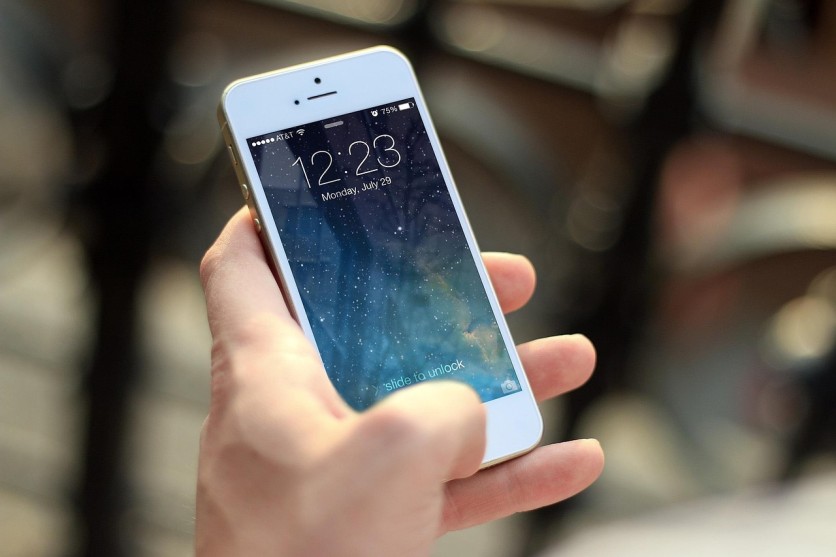
Discover how 120Hz ProMotion‑like displays boost scrolling smoothness and battery life with adaptive refresh, buttery 120Hz motion, and touch‑responsive high refresh technology. Pixabay, JESHOOTS-com
High‑refresh displays have become a major selling point for smartphones and tablets, but not all 120Hz screens are created equal. The term "120Hz ProMotion display scrolling smoothness" has become common in tech conversations, and for good reason: it represents a noticeable upgrade in how fluid everyday actions feel.
Devices using ProMotion‑like technology go beyond a simple 120Hz label by pairing ProMotion‑like adaptive refresh rate technology with smart power management, which helps maintain 120Hz high refresh rate buttery scrolling while also enabling variable refresh rate battery life optimization.
This article explains how these features work together and how they affect both user experience and battery efficiency.
What Does 120Hz ProMotion Display Smoothness Actually Mean?
A screen's refresh rate, measured in hertz (Hz), indicates how many times the display updates its image per second. A 60Hz panel refreshes 60 times per second, while a 120Hz panel doubles that, updating the image 120 times in the same period.
This extra update frequency is the foundation of 120Hz high refresh rate buttery scrolling, because the screen delivers more motion information between frames.
When scrolling through a long list, social media feed, or web page, the extra frames reduce perceived stutter and blur. Instead of seeing a series of distinct "steps," the motion feels continuous and more natural to the eye. This is especially noticeable when quickly swiping between pages, flicking through photos, or moving between apps.
The jump from 60 to 120Hz is one of the most perceptible hardware upgrades users can experience on a mobile device, and terms like 120Hz ProMotion display scrolling smoothness are used to describe that tangible improvement in fluidity.
How Does ProMotion‑Like Adaptive Refresh Rate Technology Work?
ProMotion‑like systems do not simply lock the display at 120Hz all the time. Instead, they use ProMotion‑like adaptive refresh rate technology that dynamically adjusts the refresh rate based on what is shown on the screen.
A typical implementation might shift between rates such as 10 or 24 Hz up to 120 Hz, depending on motion intensity and content type.
During fast animation, scrolling, or gaming, the display can ramp up to 100–120 Hz to deliver smooth motion. When the screen is mostly static—such as when reading a document, viewing a still image, or watching a non‑high‑frame‑rate video—the refresh rate can drop to 24 Hz, 10 Hz, or even lower.
This constant adjustment helps align the display's refresh cycle with the content itself, reducing unnecessary refresh cycles and improving efficiency.
Importantly, this system also adapts to external frame rates. For example, many movies and online videos are delivered at 24 fps. A ProMotion‑like display can match that frame rate and apply a 2:2 or 3:2 pulldown pattern to minimize judder, making motion feel more natural rather than introducing uneven flicker or stutter.
High Refresh Rate and Touch Sampling Responsiveness
Another key benefit of ProMotion‑like implementations is their emphasis on high refresh rate touch sampling responsiveness. Touch sampling rate refers to how often the screen detects and registers a user's touch input.
A higher touch sampling rate means the device can capture more precise touch data, which, when paired with a 120Hz refresh, reduces the delay between a finger movement and the visual response.
This is critical for perceived smoothness. If the screen refreshes at 120 Hz but touch sampling is limited, the cursor or UI may still feel slightly delayed or "off."
Modern ProMotion‑style displays often pair very fast refresh with high‑speed touch processors, so that taps, swipes, and quick gestures appear almost instantaneous. This plays a big role in making interactions feel more natural and direct, especially in fast‑paced apps and games.
Read more: Steam Deck OLED vs ROG Ally in 2026: Price, Performance, and Best Value Compared
Variable Refresh Rate Battery Life Optimization Explained
One of the most common concerns about 120Hz displays is battery life. Intuitively, doubling the refresh rate sounds like it should double the power draw.
However, ProMotion‑like systems address this with variable refresh rate battery life optimization. Instead of running at 120 Hz all the time, the display lowers the refresh when the content does not require high frame rates.
For example, when reading an email, an eBook, or viewing a static image, the screen can drop to 24 Hz or 10 Hz.
These lower refresh states significantly reduce the number of times the display and backlight need to update, which directly lowers power consumption. When the user starts scrolling or using an app, the system quickly ramps back up to 120 Hz, so the improvement in smoothness is preserved exactly where it matters most.
This adaptive approach creates a power envelope that is much closer to a traditional 60Hz device than a fixed 120Hz panel. In practice, many users report that the difference in battery life between a device with an always‑on 120Hz display and a ProMotion‑style adaptive 120Hz panel is surprisingly small, thanks to this smart optimization.
How to Take Full Advantage of Your 120Hz ProMotion‑Like Display
To fully benefit from both 120Hz ProMotion display scrolling smoothness and variable refresh rate battery life optimization, users can follow a few simple practices.
First, ensure that ProMotion or adaptive refresh is enabled in the device's display or performance settings. Some devices hide this option behind a "Motion" or "Smoothness" toggle that must be turned on.
Second, keep in mind that Low Power Mode and similar battery‑saving features often cap or disable the ProMotion behavior. If smoothness is a priority, staying out of these modes during active use can help maintain the 120Hz advantages.
Third, users can experiment with manual refresh‑rate limits if available. Some devices allow selecting between "Auto," "60 Hz only," or "High refresh rate," letting users decide whether to prioritize smoothness or battery.
Finally, make sure that apps and content are optimized for higher frame rates when possible. Apps that lock their content to 60 fps may not fully leverage the high refresh rate touch sampling responsiveness and may feel less fluid than browsers or native apps that support higher refresh.
Getting the Best Balance of Smoothness and Battery Life
Devices equipped with 120Hz ProMotion display scrolling smoothness, 120Hz high refresh rate buttery scrolling, and ProMotion‑like adaptive refresh rate technology represent a major step forward in everyday usability.
By combining fast refresh, smart touch sampling, and variable refresh rate battery life optimization, these panels deliver a more natural and responsive experience without automatically draining the battery.
Whether the user is flicking through social media, browsing the web, or playing a game, the combination of high refresh and adaptive power management helps keep motion fluid and interactions precise while still managing power consumption effectively.
Frequently Asked Questions
1. Do all 120Hz displays offer ProMotion‑like adaptive refresh?
No. Many 120Hz panels run at a fixed 120Hz or only offer a few fixed refresh steps, without the continuous, content‑based adjustment that defines ProMotion‑like adaptive refresh rate technology.
2. Can apps or games still feel laggy even on a 120Hz ProMotion display?
Yes. If an app or game is optimized for 60 fps, the display may downscale to match that frame rate, so the extra smoothness of 120Hz high refresh rate buttery scrolling will not be fully utilized.
3. Does variable refresh rate affect video playback quality?
Not negatively. ProMotion‑like adaptive refresh rate technology usually matches the media's frame rate to reduce judder, so most videos still look smooth; it mainly affects how often the pixels refresh between frames.
4. Does enabling 120Hz slow down my phone's performance?
Not in terms of processing speed. The extra load is mainly on the screen and graphics system, but variable refresh rate battery life optimization helps keep power and heat in check without reducing overall performance.
Read more: 10 Everyday Devices Using Hidden AI Technology to Simplify Daily Life in 2026

-
 C114 Communication Network
 -
 Communication Home
