

 Search

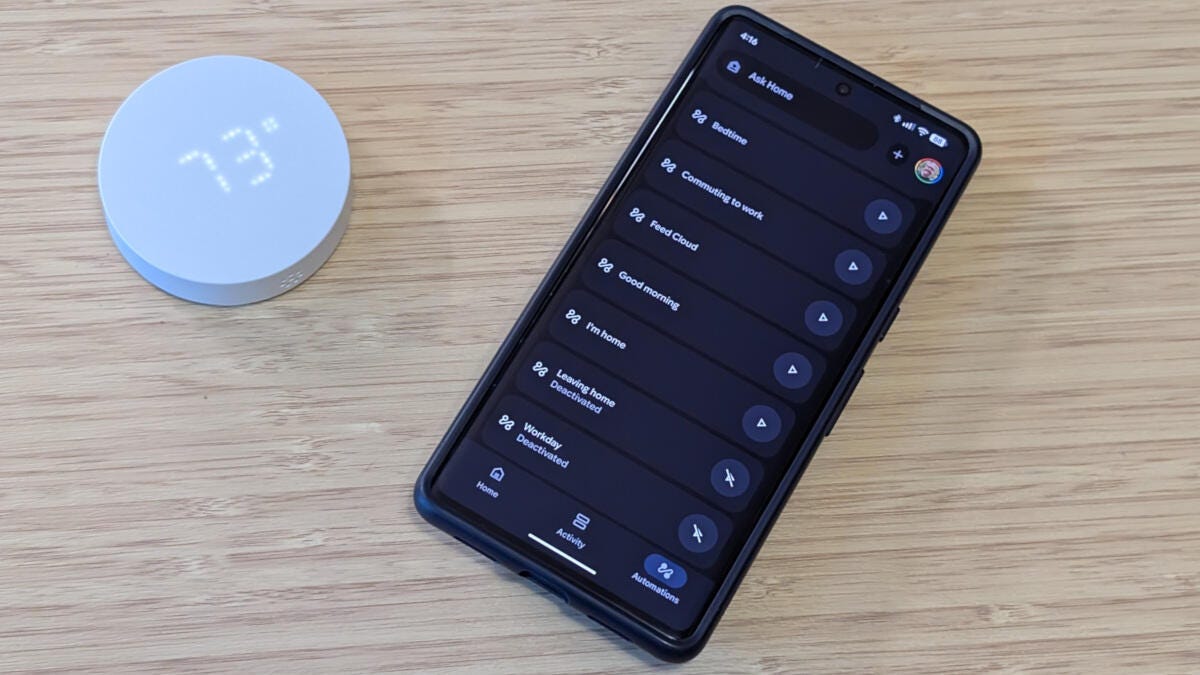
Automation is the biggest difference between a true smart home and a glorified remote control. Don't get me wrong, I'm all for the remote control aspect -- be it a smartphone, smart speaker, smartwatch or an actual remote -- but it doesn't come close to the satisfaction of a home automation that anticipates my needs.
I'm also the first to admit that creating smart home automations, schedules and routines is sometimes a tedious process, especially if you've never done it before. So let's dig into the basics with a few easy routines that can help you get the most from your smart home, benefiting your family and saving you time.
Smart home automation essentials: Apps, platforms and devices
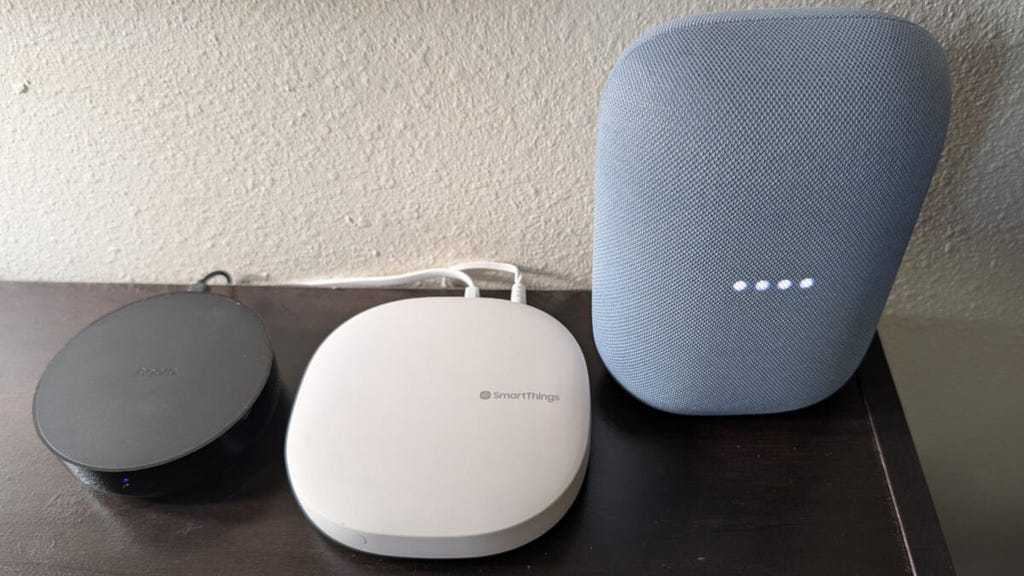
A small selection of the many smart hubs I'm always testing. John Carlsen/CNET
At its most basic, smart home automation is simply a cause-and-effect relationship. Essentially, you're telling your smart home platform to look for a specific thing and then to perform a unique task in response. This could be something as obvious as, "When I push this button, turn on this lamp," or a more complex set of conditions -- like a porch light that only turns on during a new moon (a useless example, but you get the point).
Ideally, you should familiarize yourself with smart home apps, platforms and smart devices to know what's possible without pulling your hair out.
Apps are merely tools for controlling and automating your smart home devices. Popular examples include Alexa, Apple Home, Google Home, IFTTT and SmartThings. Notably, apps can perform basic scheduling and notification automations without any smart home devices, but other abilities always depend on the platform and devices.
Platforms form the invisible foundation of smart home compatibility: They facilitate communication between apps and smart devices. While popular apps also function as platforms, they still rely on specific protocols such as Matter, Wi-Fi, Bluetooth, Thread, Zigbee and Z-Wave to talk with smart devices -- often through a smart hub.
Smart devices complete the trifecta by expanding the number of things a smart home system can see and do. Some devices work only as automation triggers, notably any type of dedicated sensor, such as a motion detector. Likewise, some devices lack internal sensors and can respond only to direct commands, like a smart light bulb. But many devices, like security cameras and smart thermostats, can trigger and respond to automation commands.
I realize that this crash course to home automation looks like a basic description of a smart home system, which it is. But the point I'm trying to make is that you need to explore your system before you know what's possible. It's unlikely that your smart home looks anything like mine -- I'm always testing more devices than I actually need -- so knowing the fundamentals is always the first step.
Here's where you can find the automation tools for various smart home apps.
- Amazon Alexa: Tap the More menu (third icon from the left on the bottom of the screen) and select the Routines option.
- Apple Home: Tap the + button and choose Add Scene or Add Automation.
- Google Home: Tap the + at the top of the screen next to your profile picture. Select Automation from the list.
- IFTTT: Tap the Create tab.
- SmartThings: Tap on the Routines tab and hit the + at the top of the screen.
These are only a few examples, but most smart home apps -- like Philips Hue, Ikea or Reolink -- have a similar automation creation workflow.
Now it's time to jump into the useful stuff: actually creating automations.
Building Block 1: Scenes for movie night and beyond
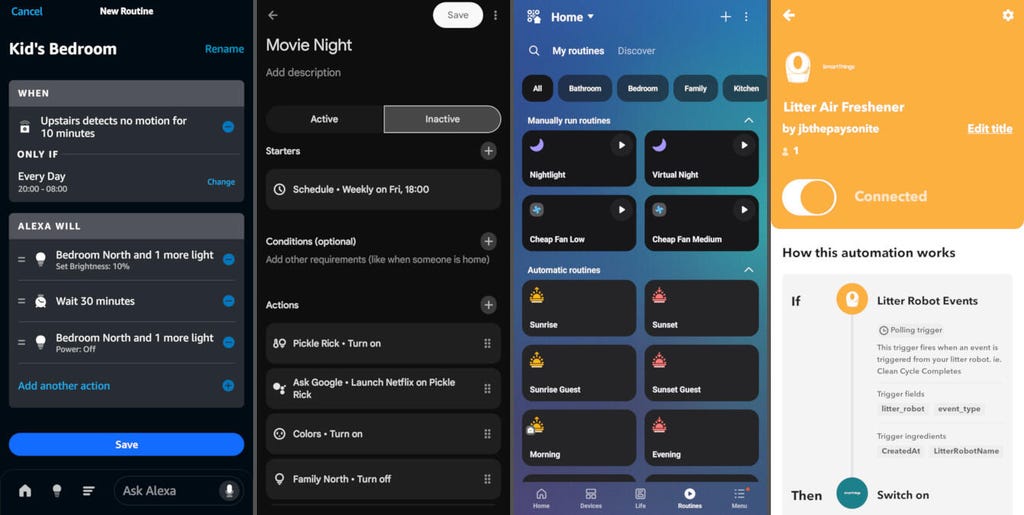
From left to right, here are some automation examples in Alexa, Google Home, Samsung SmartThings and IFTTT. John Carlsen/CNET
Sometimes the simplest way to understand the cause-and-effect nature of automation is to start with the effect. Scenes are the easiest home automations to understand because they're simply a group of devices and tasks you're controlling all at once. Movie Night is a great example:
Trigger:
- Activate Movie Night with your smartphone, a voice command or using a simple schedule (every Friday at 6 p.m.).
Actions:
Adjust smart lighting to your preference (on, off, dimmed or even a specific color).
Turn on the smart TV and boot up your go-to streaming app.
Set a timer or delayed notification for three hours to remind the kids it's time for bed. When the timer goes off, the lights switch back to normal, and the TV turns off.
Why it works:
The beauty of scenes is their flexibility. They can control literally any compatible smart home device. In my smart home, I use automatic sunrise and sunset scenes to control grow lights. These same scenes manage the ambient lighting in my bedroom and family room by toggling lights and smart blinds. Not only do these scenes help my houseplants thrive, but the smart blinds let in more natural light to help me wake up or give me comfortable darkness for better sleep.
Building Block 2: Sensors save time on repetitive tasks
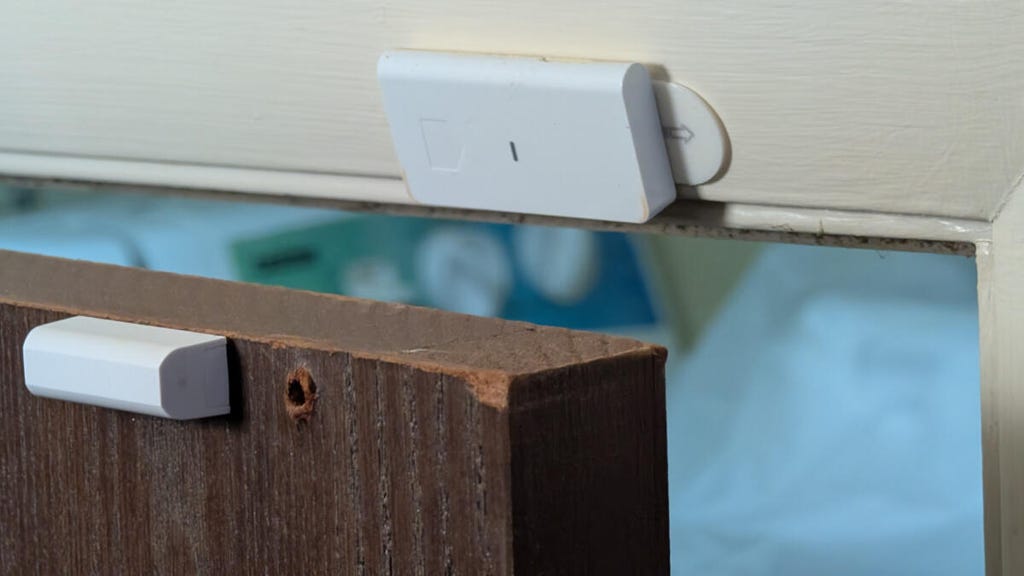
Controlling smart lights with a door sensor feels more magical than it actually is. John Carlsen/CNET
Let's use a ridiculous scenario for maximum emphasis: Imagine manually turning the fridge light on and off every time you needed an ingredient while cooking. The absolute height of tedium, right? That's why the next type of automation leverages sensors to simplify repetitive tasks. (Though I should point out that sensors usually require some kind of smart hub that supports Matter, Thread, Zigbee or Z-Wave.) The best example is Closet Lighting:
Trigger:
The door sensor on your closet door opens.
Actions:
A smart light or smart plug instantly turns on the light inside the closet.
The light turns off when the closet door closes.
I use similar automation to control the entryway lighting with a sensor on my front door so I can always see where I'm going at night or when my hands are full of groceries.
Why it works:
While a simple interaction of a sensor turning on a light doesn't seem like a big deal, you've suddenly turned your closet door into a light switch. No need to reach up for a pull chain, plug in string lights or fumble for the light switch in the dark. The picture comes even more into focus if you have mobility or accessibility issues that make even small repetitive tasks a challenge.
If we zoom out to other types of sensors, the possibilities and benefits become even more apparent.
Motion detectors and presence sensors can become important tools for temporary lighting in open areas, which is great for nightlights.
Water leak sensors can help you manage a bathroom where the toilet clogs frequently (preferably until a plumber can come over). Or maybe you'll use them to track when a jug of filtered water fills up, like I do.
Contact sensors aren't just for doors and windows. They can also track how often someone opens a medicine cabinet or whether the toilet seat is put down.
Vibration sensors can tell you when the washer and dryer are done without needing an expensive smart appliance.
Temperature and humidity sensors are perfect for controlling fans or optimizing your HVAC system.
Light sensors can help you tune smart blinds to maintain consistent lighting and let in more sunlight during the winter.
I purposely avoided anything specific to home security, which is typically the reason most people buy sensors. Similarly, smart smoke detectors, carbon monoxide sensors and glass-break sensors are a little too specialized to use outside of safety and security tasks.
Building Block 3: Variations on triggers and actions
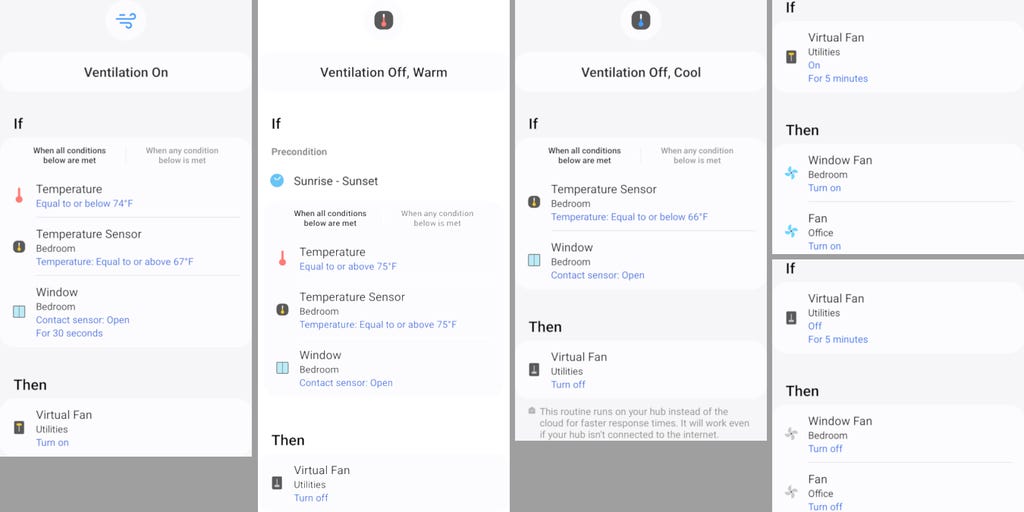
While you can chain multiple routines together for complex tasks -- like one I use for ventilation in the summer -- it's best to keep things as simple as possible. John Carlsen/CNET
I wish I could tell you home automation is more than triggers and actions, but even the most complex routines ultimately boil down to these two building blocks. Still, many smart home apps broaden the definition beyond scenes and sensors:
Triggers: Manual control, time (scheduling, alarms), location (geofencing, presence), device status (sensors, battery life) and receiving information (emails, messages, news, weather).
Actions: Control devices (scenes, routines, time-intensive settings changes), time (delayed actions), sending information (emails, messages, Excel spreadsheet data).
Without getting too deep into the weeds, the complexity of your automations depends on the capabilities of your devices and apps -- and the patience you have to put them together. I like to treat the time I spend on every new automation as an investment in my future efficiency rather than a tedious task.
Let's wrap up with a few rapid-fire examples of easy home automations that use all three building blocks:
Good Morning (daily routine)
Trigger: Use a daily schedule, like 7:00 a.m. on weekdays and 9:00 a.m. on weekends.
Actions: Open smart blinds, gradually increase the brightness of bedroom lights and start your favorite Spotify playlist.
Delivery (package notification)
Trigger: Your video doorbell detects a package on the porch.
Actions: Send a notification to each family member's phone, turn on the porch light briefly (at night) and play "A delivery is here" on a smart speaker.
For a Rainy Day (weather alert)
Trigger: The weather forecast calls for stormy weather in the next 30 minutes while the windows are open.
Actions: Send a "close the windows" smartphone notification or smart display announcement.
Nightlight (safety + convenience)
Trigger: The motion detector spots movement in the hall between 11:00 p.m. and 6:00 a.m. every day.
Actions: Activate smart lighting at 10% brightness, automatically turn it off after three minutes.
Mute Everything (Universal Media Control)
Trigger: Custom voice command, like "Mute everything."
Actions: Pause all streaming devices and mute all smart speakers so you can hear the doorbell or a conversation. You can go further with a time delay to automatically unmute after five minutes -- or create a second "unmute everything" custom voice command to resume your streaming content.
Garage (security)
Trigger: The garage door is open for longer than five minutes and there's no movement on the garage motion sensor.
Actions: Close the smart garage door opener and turn off indoor garage lighting.
Child's Bedroom (nightlight + energy saver)
Trigger: There's no movement in the bedroom for 10 minutes while the lights are on. (Maybe your kid fell asleep while playing or went somewhere?)
Actions: Turn off the smart lamps (or dim them to nighttime levels, depending on the time of day), pause smart speakers and send a notification if they left the window open.
Good Night (daily routine)
Trigger: Say "good night" to your smart speaker.
Actions: Lock the smart locks on your front and back doors, arm the security system in "Home" or "Asleep" mode, and set the smart thermostat's temperature for a comfortable sleep.
There you have it, an in-depth guide to smart home automations, routines, scenes and triggers for a home that automatically reacts to your schedule and current activity. The only limitations are your imagination and what's in your smart home system.
Remember, keep your automations simple and practical. This makes them easier to set up and manage, and less likely to annoy you so much that you avoid one of your smart home's best features. For a more advanced automation option, check out what you can do with geofencing.


