
 Search


Daniil Komov | Pexels
Deleting a file doesn't destroy it. Formatting a drive doesn't necessarily erase its contents. Even a crashed operating system doesn't automatically mean your data is gone.
Modern storage systems are far more forgiving than most people assume—and that's exactly why data recovery software exists. It exploits the gap between "deleted" and "overwritten," between "corrupted" and "physically destroyed."
But there's another side to that story.
Recovery software operates within strict technical limits. Cross those limits by continuing to use the drive, misdiagnosing hardware failure, or misunderstanding how SSDs behave, and the same tools that might have saved your data can permanently reduce the odds of recovery.
Understanding that boundary requires more than installing an app and clicking Scan.
What Does "Deleted" Actually Mean?
Before you can understand when recovery works, you have to understand what deletion really does at the storage level. Most users think in terms of visibility: if a file is gone from the folder, it's gone from the disk. But operating systems don't manage storage that way.
Deletion is primarily a metadata operation. The system removes the reference to the file from its indexing structure, such as the Master File Table in NTFS, and marks the associated sectors as available for reuse. The actual binary data remains in place until it is overwritten.
This creates a temporary window of recoverability. Recovery software exists to exploit that window.
The problem is that this window of opportunity for healing doesn't end right away. It gradually and frequently shrinks without notice. The system may reuse sectors containing deleted file fragments while writing logs, caching data, or installing updates.
Everything seems normal to the user. The recovery margin is dropping behind the scenes.
Understanding that erasure is a change in the bookkeeping, not an instant deletion, also explains why recovery can succeed and why timing is so important.
The file system doesn't erase data immediately
When a file is deleted, the operating system essentially says, "This space can be reused." It does not say, "Destroy this data."
Recovery tools scan for those marked entries and attempt to reconstruct file paths and data blocks. If the underlying structure remains intact, the recovered file can be identical to the original.
But that success depends entirely on the absence of overwrite activity.
Overwriting is irreversible
Once sectors are reused, the original data begins to disappear. Overwrite damage isn't always total; sometimes only fragments are lost. But partial corruption can render entire files unusable.
Modern systems constantly write small amounts of data in the background. Even light usage after deletion increases the probability of overwriting.
The more active the drive, the smaller the recovery window becomes.
Andrey Matveev | Pexels
When Recovery Software Performs Well
Recovery software has earned its place because there are scenarios where it works extremely well. These are typically cases where the storage medium remains physically healthy, and the loss is structural rather than mechanical.
What makes these situations favorable is stability. If the drive can reliably read its sectors and the file system damage is limited to indexing or the partition structure, software has a clear technical path to reconstruct the data.
But those favorable conditions are more specific than many users realize.
Accidental deletion on a stable hard drive
Traditional spinning hard drives offer the best conditions for file recovery. They delay the erasure of sectors, unlike many SSDs. Recovery software can often recover deleted files, including the filename and folder path, if the machine hasn't been used recently.
The drive's physical condition and usage since deletion are most important. A mechanically sound HDD without continuing writing is the cleanest and most recoverable.
Quick formats and partition issues
A quick format restores the file system's structure without erasing the actual data blocks. Much of the underlying data may therefore still be present and recoverable, even if the drive appears empty.
The same is true for lost partitions: recovery tools can frequently restore access if the data region itself is unharmed, but the partition table is corrupted.
In these cases, the damage is structural, not physical, and software is well-suited to repairing the structure.
Where Do Things Start to Break Down?
The moment hardware instability enters the picture, the assumptions on which recovery software relies begin to fail.
When you ask the drive to read something, consumer tools assume it will always respond. Continuing to scan can be harmful rather than useful if that assumption breaks down due to mechanical wear, electronic failure, or firmware corruption.
The challenge is that users often cannot easily distinguish between logical and physical failures.
Mechanical instability changes recovery dynamics
Clicking, grinding, or intermittent detection are not minor symptoms. They often indicate failing heads or platter surface damage.
Recovery software will continue issuing read commands across the disk surface. On a failing drive, those repeated operations increase mechanical stress. In severe cases, they can worsen head alignment or damage platter coatings.
In professional recovery settings, hardware imagers are used to precisely control read attempts, skipping troublesome areas and returning later with different parameters. Most consumer tools don't give you that much power.
Electronic and firmware problems
If BIOS or Disk Management doesn't see a drive, the problem is probably not with the file system. Damage to the controller board or bad firmware could make entry impossible at a basic level.
A device that doesn't show readable sections can't communicate with software. Trying to power-cycle such a drive repeatedly may further damage its electrical components.
At that point, more do-it-yourself attempts limit the choices for recovery.
SSDs and the TRIM Complication
Solid-state drives complicate recovery in ways that mechanical drives do not.
Unlike HDDs, SSDs are designed to actively manage their storage blocks for performance. That management includes eliminating stale data.
When a file is deleted, the operating system may issue a TRIM command to instruct the SSD to clear the blocks internally. Once processed, the data may be permanently removed at the firmware level.
This behavior is not always immediate, but once executed, it eliminates the recovery window entirely.
Why does timing matter more on SSDs?
On SSDs, recovery success often depends on whether TRIM has already processed the deleted sectors. In some cases, immediately shutting down after an accidental deletion may temporarily preserve recoverable data. But once the controller clears those blocks, software cannot reconstruct what no longer exists.
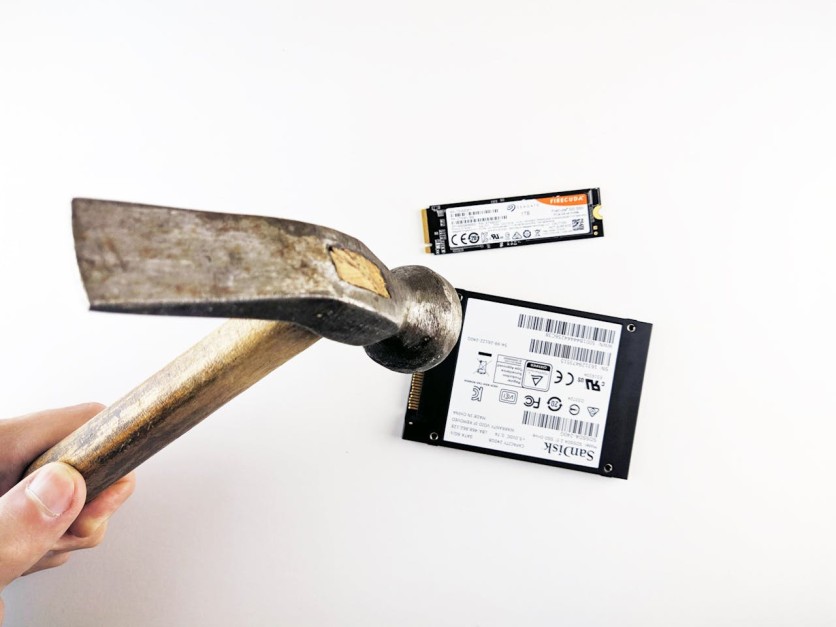
The design goal of SSDs is performance and longevity—not recoverability.

Luis Quintero | Pexels
The Risk of Repeated Attempts
One of the more subtle dangers in DIY recovery is optimism.
A user runs one scan. It finds partial results. They try another tool, then another, hoping for a better outcome.
Each scan involves extensive read operations. On healthy hardware, this mainly costs time. On marginal hardware, it accelerates deterioration.
Additionally, some tools automatically perform minor repair operations—rewriting partition tables, fixing metadata inconsistencies, or altering boot sectors. Those changes may conflict with what a later professional recovery attempt would require.
Sometimes the most damaging action isn't obvious. It's cumulative.
When Professional Intervention Makes Sense
There is a point in certain scenarios where software ceases to be the appropriate tool.
If the drive is physically unstable, not recognized, exposed to water or fire, or contains business-critical data with legal or financial implications, early consultation with professional data recovery services from Locanto preserves more options.
Professional facilities operate under controlled conditions. They use write-blockers to prevent accidental modification, hardware imagers to extract data sector-by-sector, and in severe cases, clean-room environments to replace mechanical components.
That level of intervention is unnecessary in many routine deletions, but indispensable in hardware failure cases.
The key is recognizing which scenario you're facing.
Recovery Is Not a Substitute for Backup
The existence of recovery software sometimes creates false confidence. It suggests reversibility. A safety net.
But recovery is probabilistic. Backup is deterministic.
Proper redundancy, such as having multiple copies, different storage locations, and a history of versions, gets rid of the need to rely on reconstruction after loss, which can be uncertain. Recovery tools should be seen more as last resorts than as long-term plans.
Because while recovery can work remarkably well under the right conditions, it is always reacting to a problem that prevention could have avoided.

cottonbro studio | Pexels
The Real Skill Is Diagnosis
Data recovery tools work. That's not in question.
The real question is whether the conditions support their success.
On healthy drives with logical deletion, they can restore files cleanly. On overwritten SSDs or mechanically failing hard drives, they can't reverse physics.
The critical decision isn't which tool to download. It's determining what kind of failure you're dealing with—logical or physical, temporary or terminal.
In some cases, the smartest move is running a single careful scan.
In others, the smartest move is powering the device down and seeking expert help before the situation deteriorates further.
Because in data recovery, timing isn't just important.
It's everything.

-
 C114 Communication Network
 -
 Communication Home
